Shopify Review Request Software for Ecommerce Stores
Shopify Review Request Software for Ecommerce Stores — a practical guide for ecommerce stores. Learn how to build a more effective review collection process with better timing, messaging, and workflow.
Quick answer
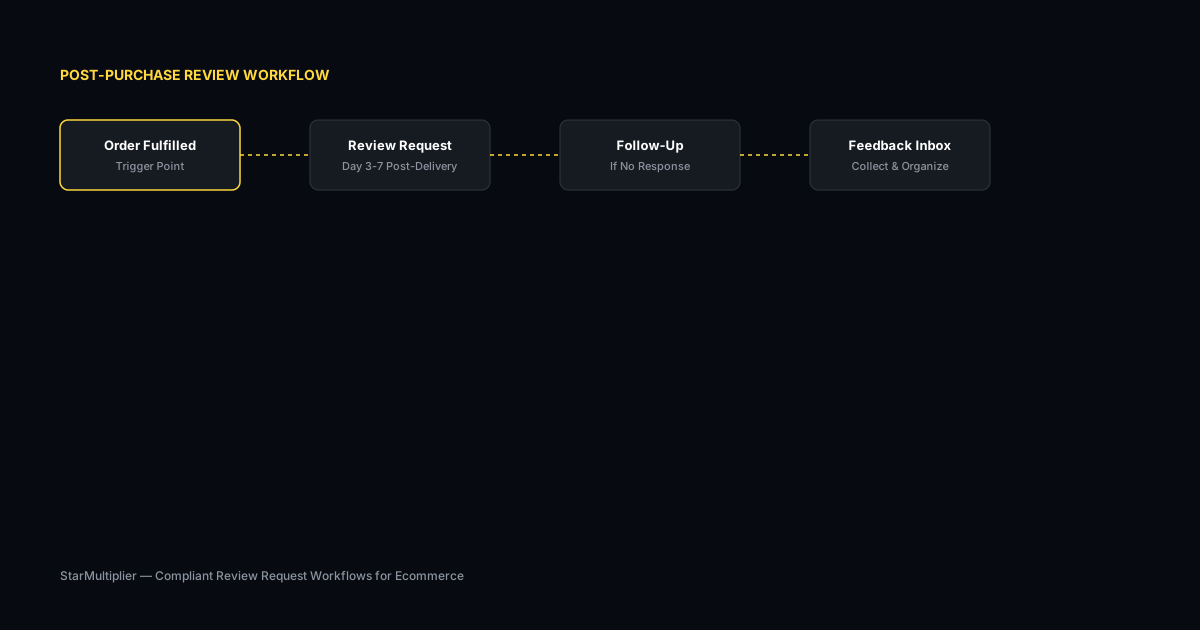
Shopify review request software helps stores automate the timing, delivery, and tracking of post-purchase review requests directly from their Shopify order data. The right software connects to fulfillment events and triggers requests based on delivery confirmation.
What is Shopify review request software?
Shopify review request software helps stores automate the timing, delivery, and tracking of post-purchase review requests directly from their Shopify order data. The best software connects to your Shopify fulfillment events and triggers requests based on actual delivery confirmation rather than estimated dates. This precision leads to higher response rates because customers receive requests when they have had time to evaluate the product.
Why Shopify review request software matters for ecommerce stores
Timing is critical for review request success on Shopify. Requests sent too early arrive before customers have received or tried the product, resulting in low response rates. Requests sent too late arrive after customers have moved on, also reducing engagement. The right software connects to your Shopify fulfillment pipeline and sends requests at the optimal moment based on your specific shipping timeline.
How to approach Shopify review request software
Evaluate Shopify review request software based on how it connects to your Shopify order fulfillment cycle. Look for software that integrates with Shopify's tracking system to detect delivery events. Request software should also segment customers based on their purchase history, allowing you to send different messages to first-time buyers versus repeat customers.
Assess your current review collection process
Start by reviewing how you currently collect reviews. Are you using automated requests, manual emails, or no structured process at all? Understanding your starting point helps you choose the right improvements.
Define your review collection goals
Set realistic targets based on your order volume. A store processing 100 orders per week might target 10-15 new reviews per week with an optimized request workflow.
Implement and iterate
Choose the right approach for your store size and implement it. Monitor response rates and adjust timing, messaging, and targeting based on performance data.
Step-by-step Shopify review request software framework
First, connect the software to your Shopify store and verify that orders sync correctly with all relevant data including fulfillment status and tracking information. Second, configure timing rules based on your delivery timeline. Third, set up customer segmentation for targeted messaging. Fourth, run the software for a subset of orders to verify timing and messaging accuracy. Fifth, expand to full rollout and monitor response rates by segment.
Practical examples
A Shopify store selling kitchen equipment found that sending review requests 48 hours after delivery confirmation doubled their response rate compared to their previous approach of sending requests seven days after purchase regardless of delivery status. The delivery-based timing meant customers had received and unpacked their products before receiving the request. Another store segmented their requests by customer type and found that repeat customers responded at twice the rate of first-time buyers, allowing them to adjust their request strategy accordingly.
Example for growing stores
A mid-size store processing 300 weekly orders implemented automated review requests and saw review volume increase from 15 to 40 reviews per month within eight weeks.
Example for small stores
A boutique store with 50 weekly orders used targeted template messages for first-time buyers and repeat customers separately, improving response rates by 25 percent.
Common mistakes to avoid
One mistake is configuring timing once and never adjusting it. Optimal timing may shift based on season, product category, or shipping carrier changes. Another mistake is using the same request message for every customer segment. First-time buyers may need more guidance on how to leave a review, while repeat customers may respond better to shorter, more direct requests.
Inconsistent timing
Sending requests at random intervals confuses customers and reduces response rates. Consistent timing based on delivery windows produces better results.
Generic messaging
Using the same message for every customer misses the opportunity to tailor requests by customer segment and purchase history.
Shopify review request software checklist
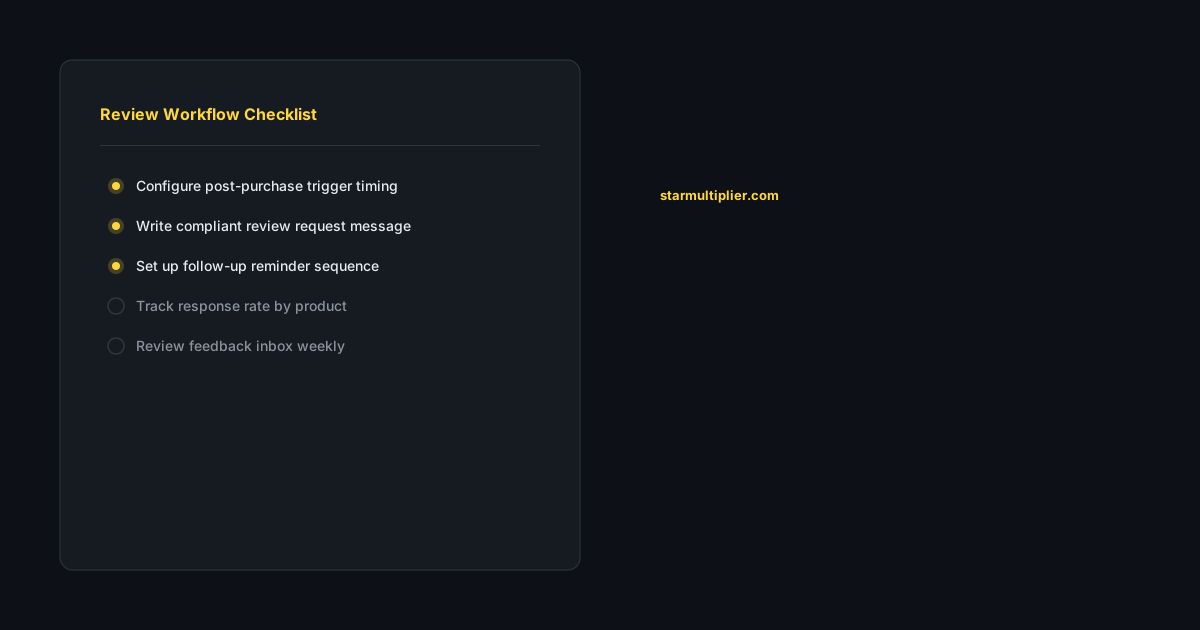
Verify that the software connects to your Shopify fulfillment data for delivery-based timing. Confirm that the software supports customer segmentation based on order history. Check that the software provides analytics showing response rates by timing window and customer segment. Test the software with a small subset of orders before full rollout.
Want to see where your review workflow is leaking opportunities? Start with a StarMultiplier review audit.
How StarMultiplier helps with Shopify review request software
StarMultiplier provides Shopify review request software that connects directly to your store's fulfillment and tracking data. The platform detects delivery events through Shopify's tracking system and triggers requests at your preferred post-delivery interval. StarMultiplier also supports customer segmentation, allowing you to send tailored messages to first-time buyers, repeat customers, and high-value purchasers.
How Shopify review request software integrates with your store workflow
Shopify review request software integrates with your store by connecting to Shopify's order data through a native app integration or API connection. When an order reaches the fulfillment status in Shopify — when you mark it as shipped and add tracking information — the review request software receives a notification and queues the customer for outreach. The software stores the customer's email address, the products they ordered, and the fulfillment date, which it uses to personalize the review request email and to calculate when the request should send based on your configured timing delay. Most Shopify review request software integrations update in near real time, meaning new orders appear in the software within minutes of fulfillment rather than requiring daily batch synchronization. This real-time integration ensures that no orders are missed and that timing begins counting from the actual fulfillment moment rather than from a delayed data update. Verify your integration is working correctly after initial setup by fulfilling a test order and confirming the customer appears in the software's order queue within a few minutes.
Choosing Shopify review request software based on your store's growth stage
The right Shopify review request software for your store depends significantly on your current growth stage and the operational complexity your team can realistically manage. Early-stage stores with under 100 orders per month need software that is fast to set up, easy to use without technical expertise, and priced accessibly for a business that is still establishing its unit economics. At this stage, prioritize simplicity and reliability over advanced features. Growing stores with 100 to 500 orders per month need software that adds segmentation and reporting capabilities without requiring a dedicated technical operator to maintain. The investment in better segmentation — different templates for different customer types and product categories — pays off at this order volume because there are enough customers in each segment to see meaningful performance differences between well-targeted and generic outreach. Established stores with more than 500 orders per month need software that provides deep analytics, robust suppression logic, multi-platform link management, and pricing that scales predictably with order volume. At this scale, the operational savings from a well-integrated platform with strong automation are significant, and the analytical depth available from a larger data set makes continuous optimization both possible and valuable.
The compliance standards your Shopify review request software must meet
Shopify review request software must meet several compliance standards to be safe for use in your store. First, the software must support sending review requests to all customers in a defined segment rather than selectively targeting only customers predicted to leave positive reviews. Software that includes satisfaction pre-screening or selective routing based on customer feedback is prohibited under Shopify's review policies. Second, the software must provide honest review request templates that invite genuine customer feedback without implying that only positive responses are welcome or that negative feedback should be directed to private channels. Third, the software must not include fake review generation features of any kind. Fourth, the software must provide suppression capabilities for customers who opt out of review communications, honoring these opt-outs in perpetuity rather than resetting after each new order. Fifth, the software must support easy unsubscribe from review request emails as required by CAN-SPAM and similar regulations. Verify that any software you are evaluating meets all five standards before implementation. A software vendor that cannot clearly confirm compliance with each standard presents more compliance risk than one that can document their approach to each requirement in writing.
Getting maximum value from Shopify review request software in year one
Getting maximum value from Shopify review request software in year one requires a structured approach that moves from baseline establishment through iterative optimization rather than a one-time setup followed by passive operation. Month one: complete setup, run end-to-end tests, launch to full order volume, and establish your baseline metrics. Months two and three: review baseline metrics monthly, identify the single metric with the most room for improvement, and make one targeted configuration change. Months four through six: test subject line variations for your highest-volume templates and apply learnings to improve open rates. Months seven through nine: evaluate your segmentation and add or refine customer segments based on the response rate data from the first six months. Months ten through twelve: conduct a full year-end review covering total review volume growth, response rate improvement versus year-start baseline, compliance status, and any platform policy changes that require workflow updates in the coming year. By the end of year one, a store that follows this structured approach will have meaningfully improved review collection performance through iterative optimization and will have developed the team habits and documented processes that make ongoing improvement sustainable in subsequent years.
How to get the most from Shopify review request software support teams
Getting maximum value from Shopify review request software support teams requires knowing how to frame requests to get the specific, technical responses that actually solve your problem rather than generic FAQ-level guidance. When submitting a support request, include: the specific behavior you are observing (exact error message, specific metric that is declining, specific trigger that is not firing), the configuration settings relevant to the issue (timing delay, segment rules, template assignment), what you have already tried, and what outcome you need. This specificity reduces the back-and-forth that extends issue resolution from hours to days. For compliance questions, be precise: 'Does your platform include any feature that routes customers to different review destinations based on a satisfaction question?' produces a more useful answer than 'Is your platform compliant with Shopify policies?' For performance questions, provide data: 'Our open rate declined from 28 percent to 19 percent between June and July. What should I investigate?' is more actionable for a support team than 'Our emails are not performing well.' Document your support interactions — the question asked, the answer received, and the outcome — so you have a record that supports future troubleshooting and compliance verification.