Shopify Review Automation Guide for Post-Purchase Flows
Shopify Review Automation Guide for Post-Purchase Flows — a practical guide for ecommerce stores. Learn how to build a more effective review collection process with better timing, messaging, and workflow.

Quick answer
A Shopify review automation guide walks store owners through setting up automated post-purchase workflows that collect product reviews at the right moment after delivery. Automation handles timing and delivery while your team focuses on templates and responses.
What is Shopify review automation?
A Shopify review automation guide walks store owners through setting up automated post-purchase workflows that collect product reviews at the right moment after delivery. Automation handles the timing, delivery, and basic follow-up sequences while your team focuses on crafting effective templates and responding to collected feedback. The result is consistent review collection without daily manual work.
Why Shopify review automation matters for ecommerce stores
Automation transforms review collection from a sporadic, manual process into a consistent, reliable system. Every eligible order receives a properly timed review request, every follow-up happens on schedule, and no customer is forgotten. Automation also provides consistent data for measuring and improving your review collection performance over time.
How to approach Shopify review automation
Start by identifying which parts of your review collection process can be automated safely. The mechanical parts are obvious: timing, delivery, and follow-up scheduling. The parts that benefit from human attention include template writing, response management, and strategy adjustments based on performance data. A healthy balance between automation and human oversight produces the best results.
Assess your current review collection process
Start by reviewing how you currently collect reviews. Are you using automated requests, manual emails, or no structured process at all? Understanding your starting point helps you choose the right improvements.
Define your review collection goals
Set realistic targets based on your order volume. A store processing 100 orders per week might target 10-15 new reviews per week with an optimized request workflow.
Implement and iterate
Choose the right approach for your store size and implement it. Monitor response rates and adjust timing, messaging, and targeting based on performance data.
Step-by-step Shopify review automation framework
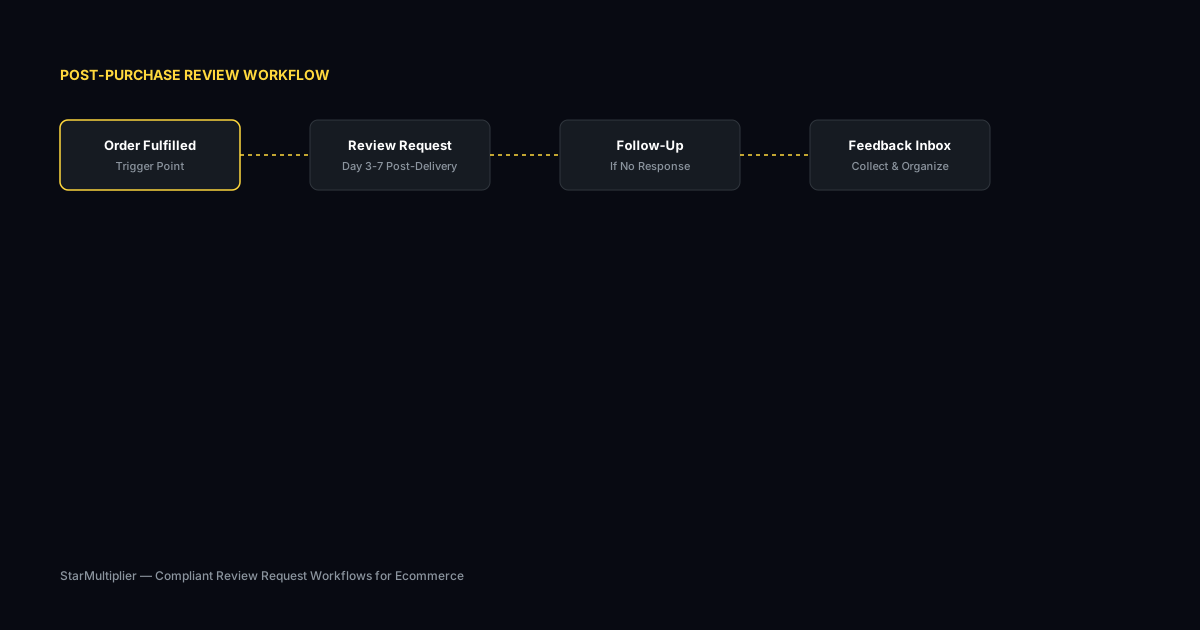
First, map your ideal review request flow from order placement through final follow-up. Second, identify which steps are purely mechanical and suitable for automation. Third, choose an automation platform that supports your required workflow. Fourth, configure timing rules and message templates. Fifth, test the automated workflow with a subset of orders. Sixth, monitor results and adjust timing, messaging, or segmentation based on initial performance data.
Practical examples
A Shopify store selling pet supplies set up automated review requests triggered three days after delivery confirmation. The automation also sent a single follow-up to customers who had not responded within seven days. The store saw review volume increase from 12 to 28 reviews per month within six weeks. The team spent less than one hour per week monitoring and adjusting the automated workflow compared to the three hours they previously spent on manual requests. Another store used automation to tier timing by order value, with high-value orders receiving requests slightly sooner than standard orders.
Example for growing stores
A mid-size store processing 300 weekly orders implemented automated review requests and saw review volume increase from 15 to 40 reviews per month within eight weeks.
Example for small stores
A boutique store with 50 weekly orders used targeted template messages for first-time buyers and repeat customers separately, improving response rates by 25 percent.
Common mistakes to avoid
One common mistake is over-automating by not including any human oversight. Automated systems can miss nuance, especially around negative feedback or unusual customer situations. Another mistake is under-automating by automating only the request delivery while leaving timing and tracking manual. The right approach automates the full cycle while keeping your team in the loop for exceptions and strategy decisions.
Inconsistent timing
Sending requests at random intervals confuses customers and reduces response rates. Consistent timing based on delivery windows produces better results.
Generic messaging
Using the same message for every customer misses the opportunity to tailor requests by customer segment and purchase history.
Shopify review automation checklist
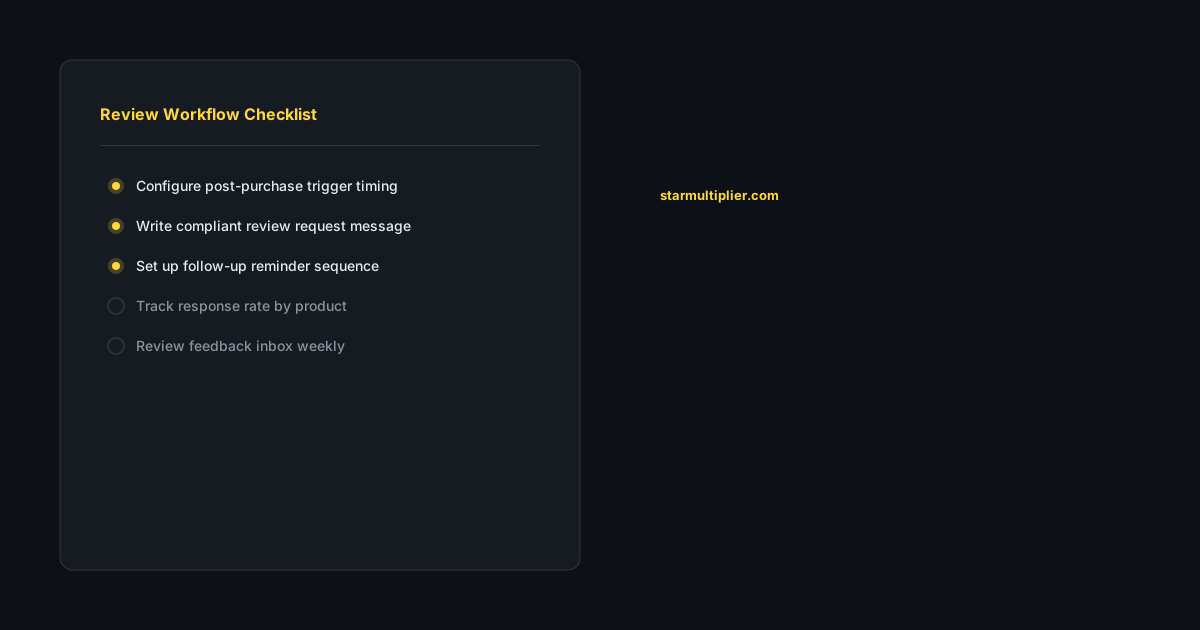
Map your ideal review request flow from order to final follow-up. Identify clearly which steps can be automated and which require human judgment. Choose an automation platform that handles all mechanical steps in your workflow. Test the automation with a subset of orders before full rollout. Monitor response rates weekly and adjust timing and messaging based on performance data.
Want to see where your review workflow is leaking opportunities? Start with a StarMultiplier review audit.
How StarMultiplier helps with Shopify review automation
StarMultiplier provides comprehensive Shopify review automation that handles the complete request lifecycle from timing through follow-up. The platform connects to your Shopify store, detects delivery events for precise timing, sends requests automatically, and tracks responses in a central inbox. Your team retains control over templates and timing rules while automation handles the repetitive work of sending and scheduling requests.
How Shopify review automation works at a technical level
Shopify review automation works by connecting to Shopify's order management system to detect fulfillment events and trigger review request actions based on those events. When an order reaches the 'Fulfilled' status in Shopify — typically when tracking information is added and the package is handed to a carrier — the automation system queues a review request for the customer with a configurable delay. This delay allows time for the package to travel and be delivered before the customer receives any communication about reviewing. More sophisticated automation systems can use delivery confirmation data from shipping carriers to trigger requests more precisely based on actual delivery rather than fulfillment date. The automation then sends the configured review request email or SMS through your chosen delivery channel, personalizing the message with order and product data pulled from Shopify. After the initial request, a follow-up sequence triggers automatically for customers who did not respond, and suppression logic prevents further contact once a customer has reviewed or opted out. All of this runs without manual intervention from your team, which is the core value proposition of automation over manual outreach.
Configuration best practices for Shopify review automation
Configuring Shopify review automation effectively requires making deliberate decisions about timing, segmentation, templates, and follow-up rules rather than accepting default settings. Timing decisions should be based on your typical delivery timeline for each shipping method you use. Standard domestic shipping typically delivers in 3 to 5 business days after fulfillment, suggesting review requests should delay at least 7 to 10 days after fulfillment. International shipping requires longer delays. Express shipping that delivers within 1 to 2 days can support earlier requests of 4 to 6 days after fulfillment. Segmentation decisions should define which customer groups receive which templates. At minimum, distinguish between first-time buyers who need more context about the review process and repeat customers who are already familiar with your brand and can receive a shorter, more direct message. Template decisions should prioritize personalization and authenticity: reference the specific product, use the customer's name, and invite honest feedback rather than positive feedback specifically. Follow-up rules should limit automated contact to one reminder per order and immediately suppress further contact for customers who have reviewed or who have asked not to be contacted.
Common Shopify review automation mistakes and how to avoid them
The most common Shopify review automation mistakes fall into two categories: technical misconfigurations and strategic misjudgments. Technical misconfigurations include timing that is too early, before customers have received or had a chance to evaluate their purchase; duplicate emails caused by automation firing multiple times for the same order; failed personalization where merge fields do not populate correctly because of missing order data; and broken review platform links that send customers to non-functional destinations. Test your automation configuration thoroughly with real orders before enabling it for full production use, and monitor for technical issues in the first two weeks after launch. Strategic misjudgments include treating every customer identically when segmentation would produce better results, sending too many follow-up reminders that create a negative experience for non-responsive customers, and using generic templates that could come from any brand rather than messages that reflect your specific brand voice and product context. Review your automation performance monthly to identify which configuration decisions are working well and which need adjustment based on actual response rate data.
Scaling Shopify review automation as your store grows
Shopify review automation scales differently than manual review collection, and understanding how to scale it effectively prevents common problems that emerge at higher order volumes. As order volume increases, the absolute number of review requests sent per day grows proportionally, which means deliverability management becomes more important. Email reputation issues that are manageable at 100 sends per day become significant at 1,000 sends per day. Work with an email service provider that has dedicated infrastructure for transactional email and monitor your deliverability metrics including bounce rates, spam complaint rates, and inbox placement rates regularly. Customer segmentation becomes more valuable at scale because sending the same template to 1,000 customers per week produces worse results than sending 10 different templates to 100 customers per week in the right segments. As your product catalog grows, maintain templates for each major product category rather than using a single generic template for all products. Response rate tracking becomes more granular at scale, giving you enough data per product and segment to identify statistically meaningful patterns that are not visible in smaller data sets.