Shopify Product Review Workflow for Growing Stores
Shopify Product Review Workflow for Growing Stores — a practical guide for ecommerce stores. Learn how to build a more effective review collection process with better timing, messaging, and workflow.
Quick answer
A Shopify product review workflow organizes how your store collects, manages, and acts on customer feedback from the moment an order is placed. The workflow covers automated requests, central feedback collection, and performance analytics.
What is Shopify product review workflow?
A Shopify product review workflow organizes how your store collects, manages, and acts on customer feedback from the moment an order is placed. The workflow covers automated request timing, central feedback collection, response management, and performance analytics. A well-designed workflow ensures consistent review collection without placing additional burden on your team.
Why Shopify product review workflow matters for ecommerce stores
A structured review workflow creates consistency in how you collect and handle customer feedback. Without a workflow, review collection depends on individual team members remembering to send requests and follow up. With a workflow, the process runs automatically and consistently, ensuring every customer receives the same high-quality experience regardless of which team member processed their order.
How to approach Shopify product review workflow
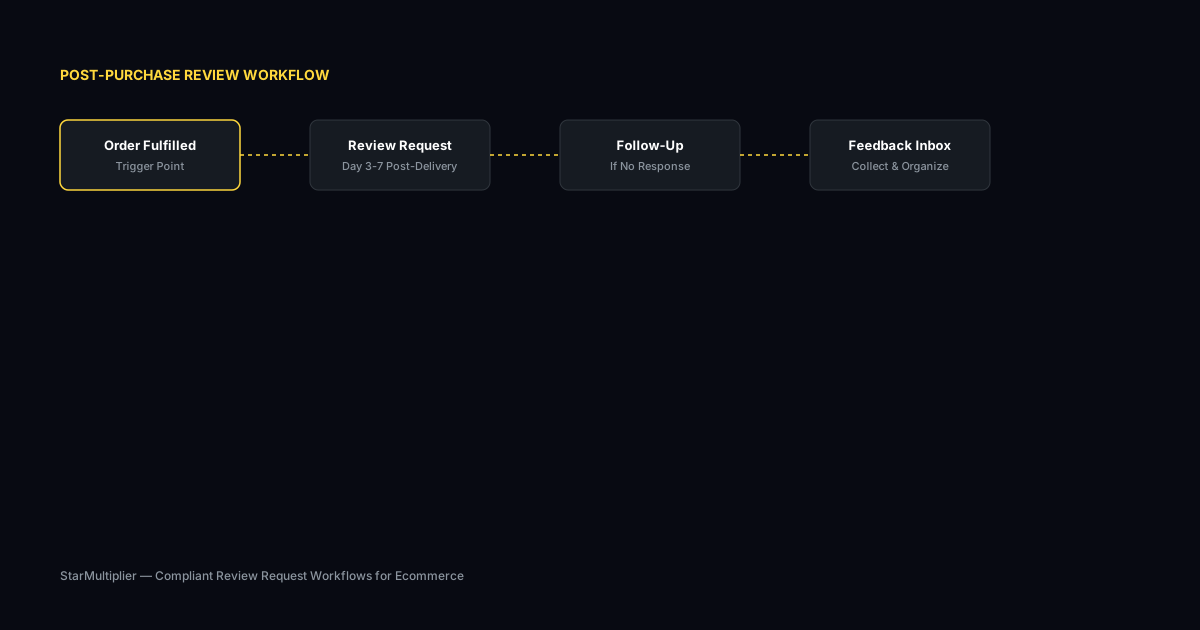
Design your workflow around the natural customer journey after purchase. The workflow should follow the customer from order confirmation through delivery, product trial, and feedback submission. Each stage triggers appropriate communication designed to maximize the likelihood of receiving a thoughtful product review.
Assess your current review collection process
Start by reviewing how you currently collect reviews. Are you using automated requests, manual emails, or no structured process at all? Understanding your starting point helps you choose the right improvements.
Define your review collection goals
Set realistic targets based on your order volume. A store processing 100 orders per week might target 10-15 new reviews per week with an optimized request workflow.
Implement and iterate
Choose the right approach for your store size and implement it. Monitor response rates and adjust timing, messaging, and targeting based on performance data.
Step-by-step Shopify product review workflow framework
First, map the customer journey from order placement through product use. Identify natural touchpoints for review requests at each stage. Second, define timing for each touchpoint based on your delivery and product trial timeline. Third, configure automated requests for each touchpoint. Fourth, set up a central inbox for managing responses. Fifth, activate analytics to track workflow performance and identify improvement opportunities.
Practical examples
A Shopify store selling skincare products designed a workflow with three touchpoints: a delivery confirmation message followed by a review request three days later, a gentle reminder after seven days if no response was received, and a thank-you message when a review was submitted. The workflow increased review volume by 40 percent over three months. Another store added a post-review engagement step that invited customers who left detailed reviews to join a product testing panel, creating a feedback loop that improved both review quantity and quality.
Example for growing stores
A mid-size store processing 300 weekly orders implemented automated review requests and saw review volume increase from 15 to 40 reviews per month within eight weeks.
Example for small stores
A boutique store with 50 weekly orders used targeted template messages for first-time buyers and repeat customers separately, improving response rates by 25 percent.
Common mistakes to avoid
One mistake is designing a linear workflow that treats every customer identically. Different customer segments may benefit from different timing and messaging. Another mistake is building a workflow with too many steps, creating a burdensome customer experience. The ideal workflow has enough steps to be effective but not so many that customers feel overwhelmed.
Inconsistent timing
Sending requests at random intervals confuses customers and reduces response rates. Consistent timing based on delivery windows produces better results.
Generic messaging
Using the same message for every customer misses the opportunity to tailor requests by customer segment and purchase history.
Shopify product review workflow checklist
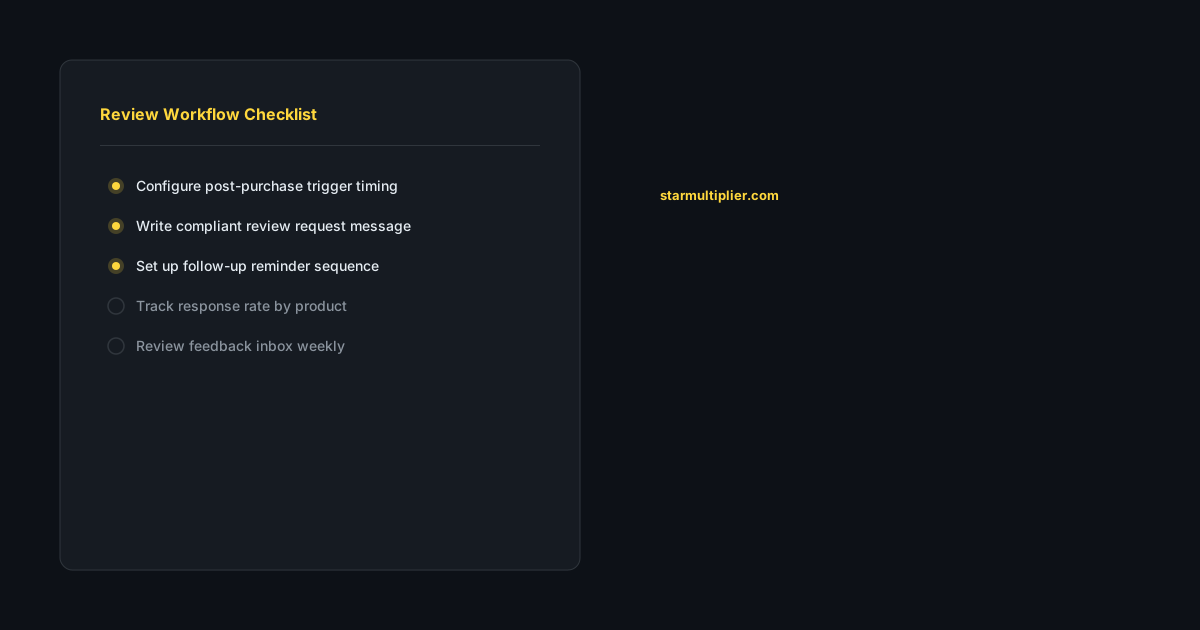
Map your customer journey after purchase and identify natural review request touchpoints. Define timing for each touchpoint that matches your product delivery and trial timeline. Test your workflow with a small customer group and measure response rates at each step. Adjust timing and messaging based on early results. Monitor workflow performance monthly and iterate based on changing customer behavior.
How StarMultiplier helps with Shopify product review workflow
StarMultiplier helps Shopify stores build effective product review workflows with automated timing, central response management, and actionable analytics. The platform connects to your Shopify order and fulfillment data, manages requests through multiple touchpoints, and provides a dashboard for monitoring workflow performance. Stores using StarMultiplier typically see improved review volume and more consistent collection without increasing team workload.
Want to see where your review workflow is leaking opportunities? Start with a StarMultiplier review audit.
Building a complete Shopify product review workflow from collection to display
A complete Shopify product review workflow covers every stage from the moment a customer completes a purchase through the display of their review on your product pages. The collection stage begins with automated review requests triggered by order fulfillment events, followed by follow-up reminders for non-responders, and ending when the customer either completes a review or the follow-up sequence concludes. The submission stage involves the customer navigating to your review platform and completing the review form — this stage requires that your review platform link is functional, the review form is simple, and the form does not require authentication steps that create friction. The moderation stage, if applicable, involves reviewing submitted content for guideline compliance before it is published on your product pages. Most review platforms have default publication rules that publish reviews automatically unless they contain prohibited content, which simplifies this stage for most stores. The display stage involves showing published reviews on the relevant product pages in a format that builds trust and supports conversion, with appropriate schema markup for search rich snippet eligibility. Monitoring the complete workflow rather than only the collection stage identifies failures that may be invisible when only review counts are tracked, such as submission friction that causes customers to abandon after clicking the review link or display problems that prevent published reviews from appearing on product pages.
Shopify product review workflow optimization for seasonal peaks
Shopify product review workflows require seasonal adjustment to perform effectively during high-volume periods like holiday seasons, major sale events, and product launches. During peak periods, order volume spikes significantly above your baseline, which means review request volume also spikes. Ensure that your review request sending infrastructure can handle the increased volume without degrading email deliverability or creating significant delays in trigger timing. If your review platform sends review requests through shared email infrastructure rather than dedicated sending, high-volume periods may produce deliverability issues that do not appear during normal operations. Work with your platform to understand how increased volume is handled. Timing adjustments are also important during peak periods when customers are managing more communication than usual and may be less likely to engage with review requests during the most intense periods. Consider extending the timing delay for review requests during holiday weeks to reach customers when they are less overwhelmed with incoming messages. Adjust suppression rules during and immediately after peak periods to account for the higher volume of returns and exchanges that typically follow major purchase events, ensuring that customers who returned or exchanged products do not receive review requests that are inappropriate for their actual experience.
How to use your Shopify product review workflow to improve product development
Your Shopify product review workflow generates a continuous stream of customer feedback that is valuable for product development beyond its primary function of building social proof. Reviews that describe specific use cases, mention product shortcomings, or compare your product to alternatives provide product development insights that are difficult to obtain through other research methods. Establishing a protocol for routing review content to your product team ensures that this insight reaches the people who can act on it. A monthly review of all reviews received in the previous period, tagged by product and by feedback theme, provides your product team with an ongoing signal about what customers value and what needs improvement. High-frequency themes in negative or neutral reviews are particularly actionable: if 20 customers in one quarter mention that a product runs small, that is a clear signal for either a product modification or a product description update. If 30 customers mention a specific feature they wish the product had, that is a roadmap input. If customers consistently compare your product favorably to a specific competitor on a specific dimension, that is a positioning insight for your marketing team. Building these review-to-product feedback loops into your regular operations transforms your review workflow from a social proof generator into a continuous product intelligence system.
Checklist for auditing your Shopify product review workflow
Use this quarterly audit checklist to verify your Shopify product review workflow is functioning correctly and producing optimal results. Trigger check: place a test order and confirm that a review request is queued at the correct timing interval after fulfillment. Template check: verify that the customer name and product name are populating correctly from order data in your current templates. Link check: click every review platform link in your current templates to verify they go to the correct destination without requiring additional login steps. Suppression check: verify that customers who already reviewed are not receiving follow-up reminders by checking whether any recently completed reviewers are in the active sequence. Volume check: compare review request volume for the past 30 days against order volume for the same period minus the timing delay; the two numbers should be approximately equal if the trigger is working correctly. Response rate check: compare current response rate against your historical baseline and investigate any decline of more than 15 percent. Compliance check: read each template for any language that implies selective solicitation or only welcomes positive feedback. Platform policy check: have you reviewed the current policies of your review platform destinations within the past 90 days?
Scaling your Shopify product review workflow across a growing catalog
Scaling a Shopify product review workflow across a growing product catalog requires building a workflow architecture that can accommodate new products without requiring manual reconfiguration for each addition. Design your workflow around product category rules rather than individual product rules: when you add a new product to an existing category, it automatically inherits the timing and template configuration for that category without requiring a separate setup step. Maintain a product category map that defines which of your Shopify product collections map to which review workflow configurations, and update this map whenever new collections are created. Build template libraries that can accommodate new product categories with minimal effort: a template structure that uses a generic product experience opening followed by a category-specific body paragraph and a universal call to action can be extended to new categories by writing only the category-specific body paragraph rather than creating a full new template. Periodically review whether your category definitions still reflect the natural segments in your product catalog: a catalog that has grown from 20 to 200 products may have developed sub-categories that warrant distinct review request treatment that was not necessary when the category structure was originally designed.
How the Shopify product review workflow changes after a store redesign
Store redesigns that update product page layouts require a review of your product review workflow to ensure that review display, submission links, and structured data markup remain intact after the redesign goes live. The most common review workflow issues introduced by store redesigns are: review display widgets that do not carry over to the new theme and require reinstallation or reconfiguration; structured data markup for AggregateRating that was in the old theme's template but not added to the new theme, removing the star ratings from Google search results; and review submission links in review request emails that reference URLs changed by the redesign. Before launching a store redesign, audit your current review workflow for all elements that depend on specific page layouts or URLs: review widget placement and configuration, structured data implementation, and review submission link formats. Test each element in a development or staging version of the new design before launching to production. After the redesign launches, verify each element is functioning correctly in the live store before declaring the redesign complete and before your next review request batch sends to customers.