Shopify Review Email Automation: What to Automate and What to Keep Human
Shopify review email automation — a practical guide for ecommerce stores. Learn how to build a more effective review collection process with better timing, messaging, and workflow.
Quick answer
Shopify review email automation handles timing and delivery of review requests after order fulfillment so your team does not have to send each one manually. The automation handles the timing, but personal touches like responding to individual reviews still need a human touch.
What is Shopify review email automation?
Shopify Review Email Automation: What to Automate and What to Keep Human helps Shopify store owners decide which parts of the review request process to automate and which parts still benefit from human attention. The right balance saves time without sacrificing the personal touch that makes review responses feel genuine.
Why Shopify review email automation matters for ecommerce stores
Shopify review email automation matters because automation can handle repetitive tasks like sending requests at the right time, tracking who has responded, and managing follow-up schedules. But automated messages still need human-written templates, and responding to individual reviews requires a personal touch that automation cannot replace.
How to approach Shopify review email automation
The best Shopify review email automation approach automates timing, delivery, and tracking while keeping message creation and review response human. Automation handles the logistics, freeing your team to focus on writing thoughtful responses and using feedback insights to improve products.
Assess your current review collection process
Start by reviewing how you currently collect reviews. Are you using automated requests, manual emails, or no structured process at all? Understanding your starting point helps you choose the right improvements.
Define your review collection goals
Set realistic targets based on your order volume. A store processing 100 orders per week might target 10-15 new reviews per week with an optimized request workflow.
Implement and iterate
Choose the right approach for your store size and implement it. Monitor response rates and adjust timing, messaging, and targeting based on performance data.
Step-by-step Shopify review email automation framework
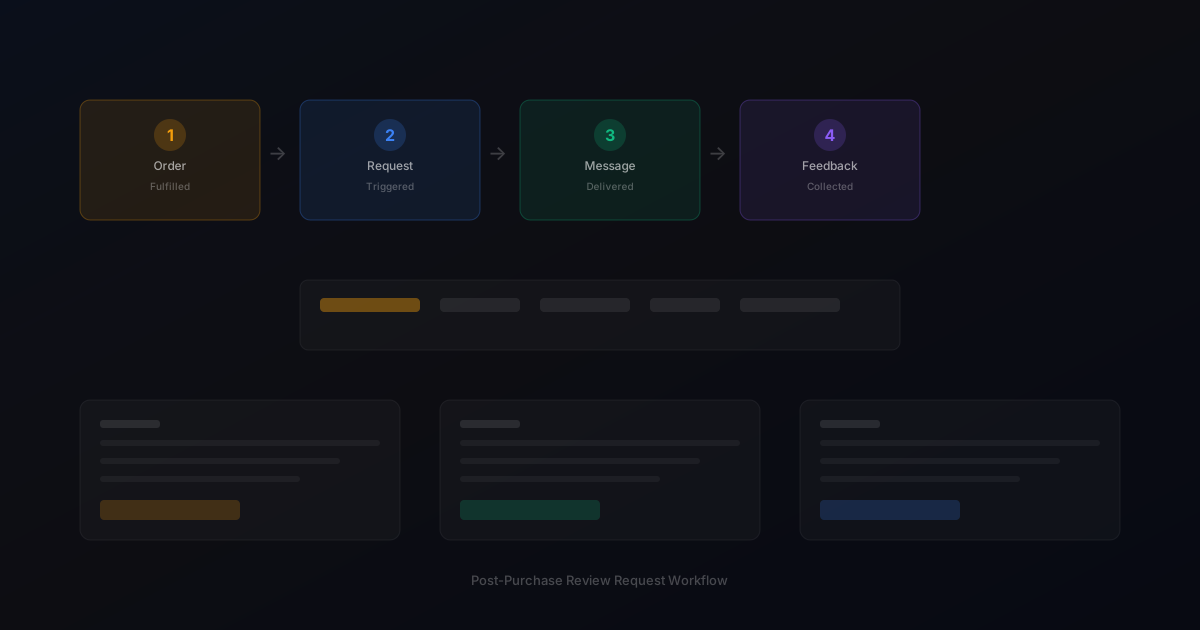
1. Automate request timing based on Shopify fulfillment events. 2. Automate message delivery across email and SMS channels. 3. Automate follow-up scheduling for non-responders. 4. Automate suppression of follow-ups for customers who already reviewed. 5. Keep human: writing and updating request templates. 6. Keep human: responding to individual reviews, especially constructive feedback. 7. Keep human: analyzing feedback trends and sharing insights with product teams.
Practical examples
A Shopify store selling outdoor gear automated their review request timing but kept human-written templates. The team spent one hour per month refreshing template language based on seasonal products. The combination of automated timing and thoughtful messaging produced a 20 percent response rate consistently.
Example for growing stores
A mid-size store processing 300 weekly orders implemented automated review requests and saw review volume increase from 15 to 40 reviews per month within eight weeks.
Example for small stores
A boutique store with 50 weekly orders used targeted template messages for first-time buyers and repeat customers separately, improving response rates by 25 percent.
Common mistakes to avoid
The most common mistake is automating everything including review responses. Customers appreciate personalized responses to their feedback, especially when they have taken time to write a detailed review. Another mistake is not reviewing automated message performance regularly.
Inconsistent timing
Sending requests at random intervals confuses customers and reduces response rates. Consistent timing based on delivery windows produces better results.
Generic messaging
Using the same message for every customer misses the opportunity to tailor requests by customer segment and purchase history.
Shopify review email automation checklist
Automate request timing, delivery, and follow-up scheduling. Keep template writing and review responses human. Review automation performance monthly. Update templates seasonally or when launching new products. Monitor response rates to identify timing optimization opportunities.
How StarMultiplier helps with Shopify review email automation
StarMultiplier provides Shopify review email automation by handling the timing, delivery, and tracking automatically while giving you full control over template content and review responses. The platform manages the operational complexity so your team can focus on the human elements that build customer relationships.
Want to see where your review workflow is leaking opportunities? Start with a StarMultiplier review audit.
Building effective Shopify review email automation from scratch
Building Shopify review email automation from scratch involves connecting your store's order data to an email delivery system and configuring the logic that determines when, to whom, and with what message a review request is sent. The foundational decision is where the automation lives: native Shopify email automation through Shopify Email has limited functionality for review requests. Third-party tools like dedicated review request platforms or configured email marketing platforms like Klaviyo provide more flexibility and better reporting. For most Shopify stores, a dedicated review request platform offers the best balance of functionality, compliance features, and ease of setup compared to configuring a general email marketing platform for a review-specific workflow. Key automation configuration decisions include trigger timing, which should be based on order fulfillment date plus a delivery window appropriate for your typical shipping method; template selection, which should map different product categories or customer segments to different email templates; suppression logic, which should prevent sending to customers who have already reviewed or opted out; and follow-up cadence, which should send exactly one reminder and then stop. Document all these configuration decisions in writing so they can be reviewed for compliance and so team members can maintain the automation without needing to reverse-engineer undocumented logic.
Email deliverability considerations for Shopify review automation
Email deliverability is a critical factor in the effectiveness of Shopify review email automation that many brands underestimate until they encounter problems. Review request emails sent through low-reputation sending infrastructure end up in spam folders rather than inboxes, which explains why some stores see low open rates despite well-written templates and good timing. Deliverability quality depends on several factors: the sending domain and IP reputation, whether the sending domain has proper SPF, DKIM, and DMARC authentication records configured, the engagement history of your email list, and the content quality of your emails. Set up email authentication records for your review request sending domain before sending your first automated review request. Without proper authentication, emails are more likely to be flagged as spam by recipient mail servers regardless of their content. Monitor your email bounce rate, spam complaint rate, and unsubscribe rate after launching review email automation. Bounce rates above 2 percent indicate list quality problems. Spam complaint rates above 0.1 percent indicate content or targeting problems that need immediate attention. Work with your email service provider or review platform to understand how these metrics are tracked and what thresholds should trigger an investigation.
Optimizing Shopify review email automation for higher response rates
Optimizing Shopify review email automation for higher response rates is an iterative process that requires tracking the right metrics, testing specific variables, and applying learnings systematically. Start by establishing a baseline: what is your current open rate, click-through rate, and completed review rate for each template in your automation? These baselines tell you which metrics have room for improvement and how significant a change must be to represent a real improvement rather than noise. The highest-impact optimization variables are subject line, send timing, and call-to-action placement. Test subject line variations by splitting your automation sends between two subject line options and comparing open rates after 30 days. Test timing by sending review requests 2 days earlier or later for a segment of customers and comparing response rates. Test call-to-action placement by moving the review link higher in the email body for a test group and comparing click-through rates. Make one change at a time so you can attribute results to specific modifications. Keep records of every test and its outcome so your team builds institutional knowledge about what improves performance for your specific customer base rather than relying on general industry benchmarks that may not reflect your specific product category and audience.
Shopify review email automation performance metrics to track monthly
Tracking the right performance metrics monthly ensures your Shopify review email automation continues to improve over time rather than running at a stagnant performance level after initial setup. The five most important monthly metrics are: email send volume (does this number align with your order volume for the period, indicating the automation is triggering correctly?), email open rate (are customers opening review request emails at a rate consistent with your previous months, or has something changed?), click-through rate on the review link (are customers who open the email being motivated to click through, or is the call to action underperforming?), completed review rate (of all requests sent, what percentage result in a completed review?), and follow-up incremental contribution (what percentage of total reviews came from the follow-up reminder rather than the initial request, which tells you how valuable the reminder sequence is?). Track these metrics in a consistent format month-over-month and investigate any significant change — more than 15 percent up or down — to identify whether it reflects a real workflow change or a normal variation in customer behavior.
Common Shopify review email automation configuration errors and how to fix them
Several common configuration errors in Shopify review email automation consistently cause underperformance that can be difficult to diagnose without specifically looking for these issues. The first is using an incorrect trigger: some automations trigger on order creation rather than order fulfillment, sending review requests before the customer has even received their product. Verify that your trigger fires on the 'Fulfilled' status change rather than the 'Confirmed' or 'Created' status. The second error is not configuring a delay before the initial review request, causing the request to fire immediately after fulfillment before delivery has occurred. All review request automations need a minimum delay of at least 5 to 7 days after fulfillment. The third error is missing suppression for returned orders: automations that send review requests to customers who initiated returns between fulfillment and the review request send date create a poor customer experience and inappropriate outreach. Add a real-time check of order return status before any review request sends. The fourth error is duplicate sends caused by automation triggering multiple times for the same order when order status is updated more than once during fulfillment processing. Deduplicate based on order ID to prevent multiple sends per order.
Integrating Shopify review email automation with your customer lifecycle strategy
Shopify review email automation is most effective when positioned within a broader customer lifecycle strategy rather than operated as an isolated post-purchase touchpoint. In a well-designed customer lifecycle, the review request arrives after the customer has received value from the product and before they are targeted with repurchase or upsell communications. This positioning respects the natural sequence of the customer relationship and ensures that the review request arrives when the customer's experience with the product is front of mind. After the review request sequence completes, customers who reviewed positively can be moved into segments targeted for higher-engagement lifecycle communications: loyalty program invitations, new product previews, and subscription offers perform well with customers who have recently demonstrated brand engagement through the review process. Customers who did not respond to review requests can be moved into standard lifecycle sequences without any modification. Customers who shared negative feedback through the review request process should be routed to customer service follow-up before being included in any marketing lifecycle sequences.