WooCommerce Review Request Flow: A Practical Guide
WooCommerce Review Request Flow: A Practical Guide — a practical guide for ecommerce stores. Learn how to build a more effective review collection process with better timing, messaging, and workflow.
Quick answer
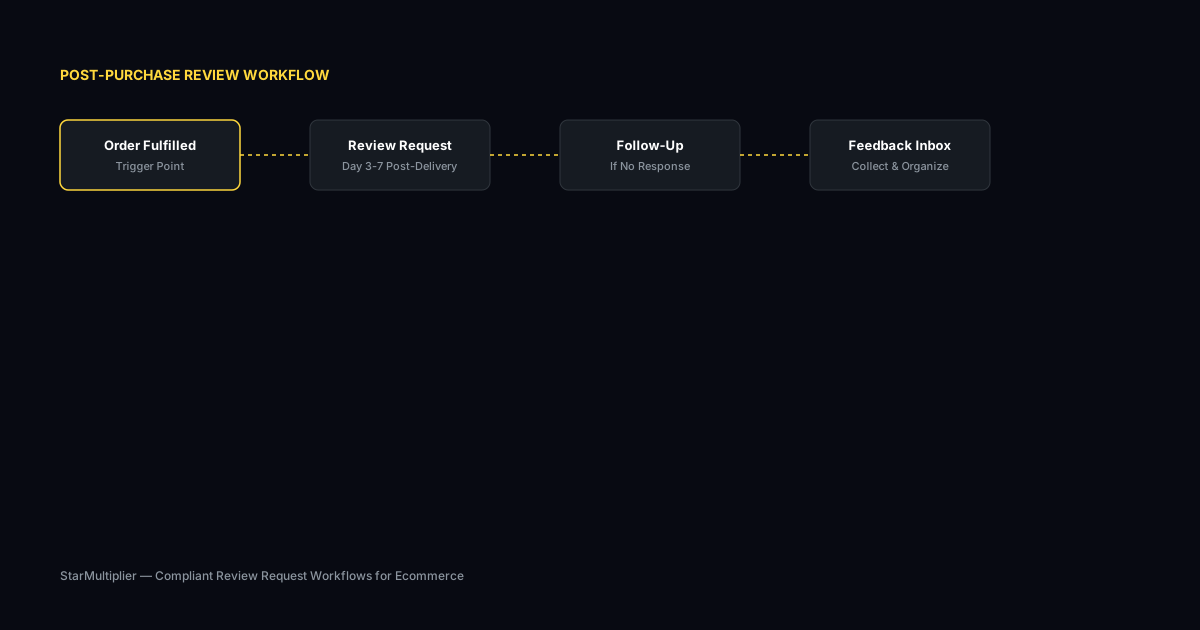
A WooCommerce review request flow connects your WooCommerce order events to automated review request messages that reach customers at the optimal time after delivery. The flow handles the entire post-purchase communication cycle from your WooCommerce dashboard.
What is WooCommerce review request flow?
A WooCommerce review request flow connects your WooCommerce order events to automated review request messages that reach customers at the optimal time after delivery. The flow handles the entire post-purchase communication cycle from your WooCommerce dashboard, including initial request timing, follow-up scheduling, and response tracking.
Why WooCommerce review request flow matters for ecommerce stores
A well-designed request flow ensures that every WooCommerce customer who places an order receives a properly timed invitation to leave a review. Without a flow, customers are contacted at random intervals or missed entirely. The flow creates consistency that increases review volume and improves the customer post-purchase experience.
How to approach WooCommerce review request flow
Design your WooCommerce review request flow around your store's specific order processing timeline. The flow should connect to WooCommerce order status changes, using delivery confirmation as the primary trigger for review requests. The flow should also include follow-up logic for customers who do not respond to the initial request.
Assess your current review collection process
Start by reviewing how you currently collect reviews. Are you using automated requests, manual emails, or no structured process at all? Understanding your starting point helps you choose the right improvements.
Define your review collection goals
Set realistic targets based on your order volume. A store processing 100 orders per week might target 10-15 new reviews per week with an optimized request workflow.
Implement and iterate
Choose the right approach for your store size and implement it. Monitor response rates and adjust timing, messaging, and targeting based on performance data.
Step-by-step WooCommerce review request flow framework
First, configure WooCommerce order statuses to match your fulfillment process. Ensure delivery statuses are tracked accurately for timing triggers. Second, define your request flow with timing rules based on delivery confirmation. Third, set up request templates for initial and follow-up messages. Fourth, enable the automated flow and monitor initial results. Fifth, adjust timing and messaging based on response rate data from the first month of operation.
Practical examples
A WooCommerce store selling art prints set up a request flow that sent a review request six days after the order was marked completed. Customers who did not respond within five days received a single follow-up reminder. The store saw a 35 percent increase in review submissions within the first two months. Another store customized their flow to send different messages for physical products versus digital downloads, accounting for the immediate delivery of digital items.
Example for growing stores
A mid-size store processing 300 weekly orders implemented automated review requests and saw review volume increase from 15 to 40 reviews per month within eight weeks.
Example for small stores
A boutique store with 50 weekly orders used targeted template messages for first-time buyers and repeat customers separately, improving response rates by 25 percent.
Common mistakes to avoid
One mistake is creating a single flow for all product types without considering delivery differences. Physical products that ship require different timing than digital downloads delivered instantly. Another mistake is setting up the flow but not monitoring its performance regularly. Review request flows need periodic adjustment based on changing shipping times, product categories, and customer behavior patterns.
Inconsistent timing
Sending requests at random intervals confuses customers and reduces response rates. Consistent timing based on delivery windows produces better results.
Generic messaging
Using the same message for every customer misses the opportunity to tailor requests by customer segment and purchase history.
WooCommerce review request flow checklist
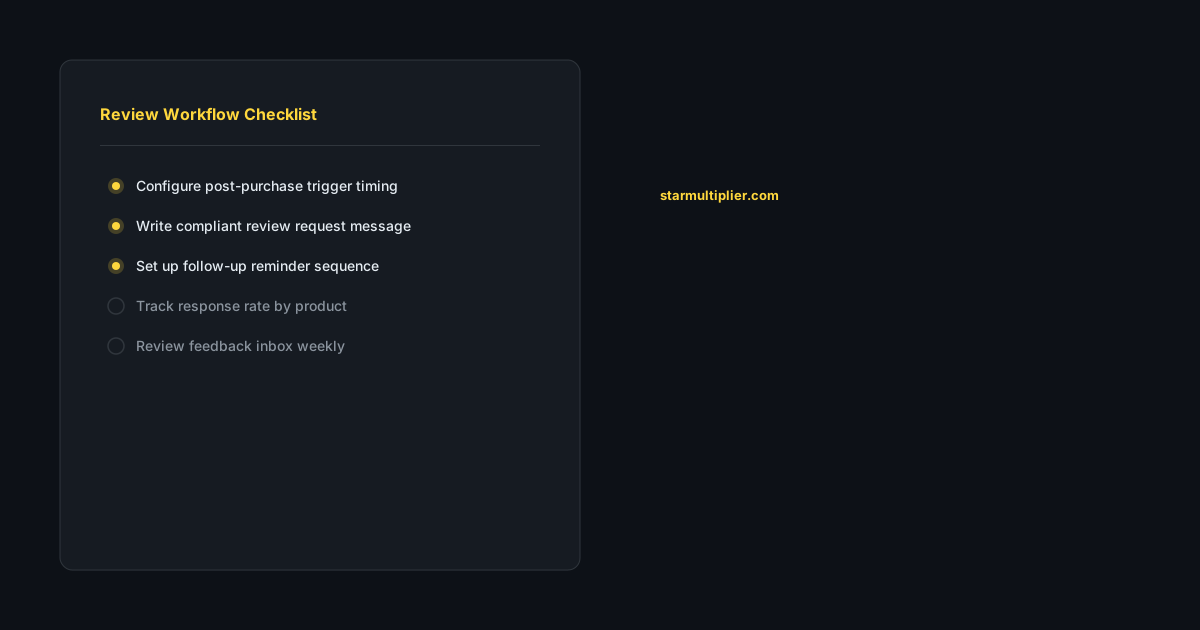
Configure your WooCommerce order statuses to accurately track fulfillment milestones. Design timing rules based on actual delivery windows rather than arbitrary post-purchase intervals. Set up distinct flows for different product types if your store sells both physical and digital items. Monitor response rates monthly and adjust timing or messaging based on performance data.
How StarMultiplier helps with WooCommerce review request flow
StarMultiplier connects directly to WooCommerce to provide automated review request flows based on order status and delivery tracking. The platform detects order completion events and triggers requests at your preferred timing interval. StarMultiplier handles follow-up scheduling, response tracking, and provides analytics showing flow performance by product and customer segment.
Want to see where your review workflow is leaking opportunities? Start with a StarMultiplier review audit.
How to set up a WooCommerce review request flow that triggers correctly
Setting up a WooCommerce review request flow that triggers correctly requires understanding how WooCommerce order status events translate into review request timing. WooCommerce orders move through several status states — pending, processing, on hold, completed, and others — and the review request trigger should be based on the completed status, which indicates that the order has been fulfilled and shipped rather than just placed. Triggering on the processing status sends review requests before products have been shipped, which is counterproductive for obvious reasons. If you are using a WooCommerce shipping plugin that adds additional status states for tracking, configure your review request trigger to account for these custom statuses. The most reliable approach for WooCommerce review request timing is to set a trigger on the completed status plus a delay appropriate for your typical delivery window. A seven to ten day delay after the completed status for standard domestic shipping gives most customers enough time to receive, unpack, and begin using their product before receiving a review request. Verify that your trigger configuration is working correctly by running test orders through to the completed status and confirming that review requests are queued and sent at the expected time after the trigger fires.
WooCommerce review request flow templates and personalization
WooCommerce review request flow templates have the same requirements as any ecommerce review request template — specificity, honest invitation language, and a clear single call to action — but personalizing them requires pulling data from WooCommerce order records. WooCommerce order records include customer name, product names, product categories, order date, and other data points that can be used to make review request messages feel personal and relevant rather than generic. Configure your review request template to pull the customer's first name from the order record for the greeting, the primary product name for the body reference, and the order date or estimated delivery date for the timing context. These three personalization fields transform a generic message into one that feels specifically written for the recipient and the specific purchase, which consistently improves open rates and click-through rates compared to templates without personalization. If your WooCommerce store sells products in multiple categories with very different use contexts — for example, both kitchen tools and outdoor equipment — consider creating category-specific template variants that can use more specific language about the product type without over-engineering the template library at the expense of setup simplicity.
Monitoring and improving your WooCommerce review request flow over time
Monitoring your WooCommerce review request flow over time requires tracking performance metrics at regular intervals rather than checking in only when a problem becomes apparent. Establish a monthly review of key metrics: how many review requests were sent, what was the open rate for the review request email, what was the click-through rate on the review platform link, how many reviews were completed in the month, and what is the overall response rate trend compared to previous months? This monthly check-in takes 20 to 30 minutes and ensures that any declining trends are identified and investigated before they become significant performance problems. Common causes of declining performance in a WooCommerce review request flow include shipping carrier changes that have altered typical delivery windows and misaligned the timing of review requests with actual delivery; template fatigue for repeat customers who have seen the same message multiple times and are less engaged with repeated identical outreach; technical integration issues that have caused some orders to be missed in the trigger logic; and email deliverability changes that have reduced the percentage of review request emails reaching customer inboxes. Identifying the cause of declining performance requires looking at each metric separately to locate where in the funnel performance has changed, then investigating the specific factors that affect that metric.
WooCommerce review request flow troubleshooting guide
Troubleshooting a WooCommerce review request flow that is not performing as expected requires systematically checking each component of the workflow to identify where the breakdown is occurring. Problem: review requests are not sending at all. Check: is the trigger configured on the correct order status? Is the email sending infrastructure configured correctly with a functional SMTP provider? Is there a PHP error log entry suggesting a code failure in the trigger function? Problem: review requests are sending but at the wrong time. Check: is the timing delay configured correctly in the workflow settings? Is the order status updating to the trigger status at the expected time, or is there a delay in WooCommerce's order processing that is pushing the trigger later than expected? Problem: review requests are sending but personalization fields are not populating. Check: are the merge tags configured correctly for your specific email sending plugin? Do orders with multiple line items cause any merge tag failures? Problem: response rates are very low. Check: are the review platform links functional? Are the emails going to spam due to email authentication issues? Is the timing sending too early before customers have received their products? Work through each possible cause systematically rather than making multiple simultaneous changes that make it impossible to attribute any improvement to a specific fix.
WooCommerce review request flow performance optimization over time
Optimizing a WooCommerce review request flow over time requires establishing a consistent performance monitoring practice and making evidence-based configuration changes rather than intuition-based adjustments. Establish a monthly performance review that covers the five key metrics: email send volume, open rate, click-through rate, completed review rate, and follow-up reminder incremental response rate. Compare these metrics against your historical baseline and against the prior month to identify trends. Make one configuration change per month based on the metric that shows the most room for improvement. If open rate is the weakest metric, test a new subject line. If click-through is the bottleneck, test a different call-to-action format or placement. If completion rate at the review platform is low, investigate the submission process for friction. Give each change 30 days to produce measurable results before evaluating it or making the next change: monthly changes run sequentially rather than simultaneously allows you to attribute performance changes to specific modifications. After 12 months of this process, most WooCommerce stores see a 30 to 50 percent improvement in review collection performance compared to their original configuration, driven entirely by incremental optimization rather than by any single dramatic change.
WooCommerce review request flow compliance considerations
WooCommerce review request flow compliance involves the same core principles as Shopify compliance but with platform-specific implementation differences. On WooCommerce, the review request workflow is typically implemented through an email automation plugin — Klaviyo, Mailchimp, WooCommerce Follow-Ups, or a dedicated review request plugin — rather than through an app store integration. The compliance principles remain identical regardless of implementation: all customers in a defined segment receive the same review request and the same review platform link, without filtering based on satisfaction. Review the email automation plugin you use for your WooCommerce review flow to verify it does not include satisfaction pre-screening features, even as optional functionality you are not currently using. Documentation of your compliance design — a written record of how your WooCommerce review request flow is configured and why specific design decisions were made — is as important for WooCommerce stores as for Shopify stores, because platform policy compliance is evaluated on the basis of your actual collection practices regardless of which platform you sell on.