WooCommerce Product Review Strategy for Small Stores
WooCommerce Product Review Strategy for Small Stores — a practical guide for ecommerce stores. Learn how to build a more effective review collection process with better timing, messaging, and workflow.

Quick answer
A WooCommerce product review strategy helps small stores plan when, how, and why to ask customers for product reviews. With limited team resources, small stores need a strategy that focuses on optimal timing, clear messaging, and consistent follow-up.
What is WooCommerce product review strategy?
A WooCommerce product review strategy helps small stores plan when, how, and why to ask customers for product reviews. With limited team resources, small stores need a strategy that focuses on optimal timing, clear messaging, and consistent follow-up. A thoughtful strategy produces better results than sporadic requests regardless of your order volume.
Why WooCommerce product review strategy matters for ecommerce stores
A strategy ensures that every review request serves a purpose and contributes to your overall goals. Without a strategy, requests are sent randomly and inconsistently. With a strategy, each request is part of a coordinated plan that builds toward a specific review volume target and quality standard.
How to approach WooCommerce product review strategy
Develop your strategy around three elements: timing, messaging, and targeting. Determine the best time to ask for reviews based on your delivery timeline. Craft messages that match your brand voice and clearly explain what you are asking. Target customers based on their purchase history and segment your approach for first-time buyers versus repeat customers.
Assess your current review collection process
Start by reviewing how you currently collect reviews. Are you using automated requests, manual emails, or no structured process at all? Understanding your starting point helps you choose the right improvements.
Define your review collection goals
Set realistic targets based on your order volume. A store processing 100 orders per week might target 10-15 new reviews per week with an optimized request workflow.
Implement and iterate
Choose the right approach for your store size and implement it. Monitor response rates and adjust timing, messaging, and targeting based on performance data.
Step-by-step WooCommerce product review strategy framework
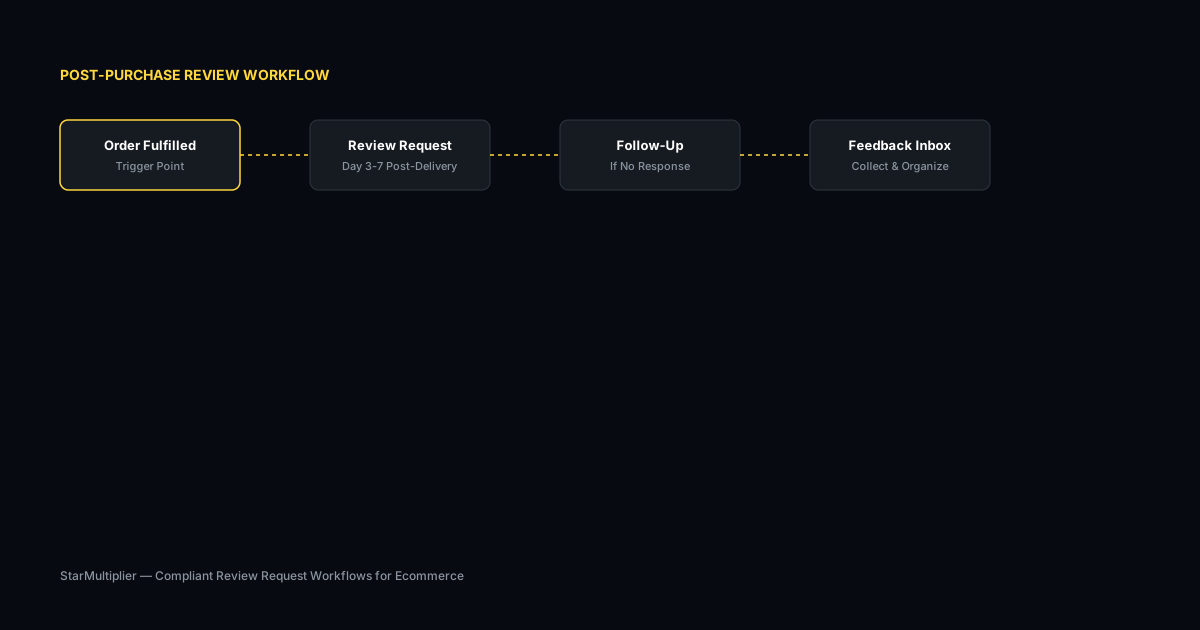
First, define your review goals based on your store size and growth plans. Set realistic monthly targets. Second, determine optimal request timing based on your shipping and delivery process. Third, create message templates for different customer segments. Fourth, plan your follow-up approach for customers who do not respond initially. Fifth, implement your strategy with a consistent request schedule and monitor results monthly.
Practical examples
A small WooCommerce store selling handmade candles set a goal of 10 new reviews per month. They sent requests four days after delivery with a personal message referencing the specific product purchased. Within three months, they were averaging 15 reviews per month, exceeding their initial target. Another small store focused on targeting their best customers first, sending requests only to repeat buyers initially, which resulted in higher quality reviews that helped attract new customers.
Example for growing stores
A mid-size store processing 300 weekly orders implemented automated review requests and saw review volume increase from 15 to 40 reviews per month within eight weeks.
Example for small stores
A boutique store with 50 weekly orders used targeted template messages for first-time buyers and repeat customers separately, improving response rates by 25 percent.
Common mistakes to avoid
One mistake is trying to implement too many strategy elements at once. Start with a simple approach and add complexity as you learn what works. Another mistake is not setting specific goals. A strategy without measurable targets is difficult to evaluate and improve. Start with a single clear goal, like increasing monthly reviews by 20 percent, and build your strategy around achieving it.
Inconsistent timing
Sending requests at random intervals confuses customers and reduces response rates. Consistent timing based on delivery windows produces better results.
Generic messaging
Using the same message for every customer misses the opportunity to tailor requests by customer segment and purchase history.
WooCommerce product review strategy checklist
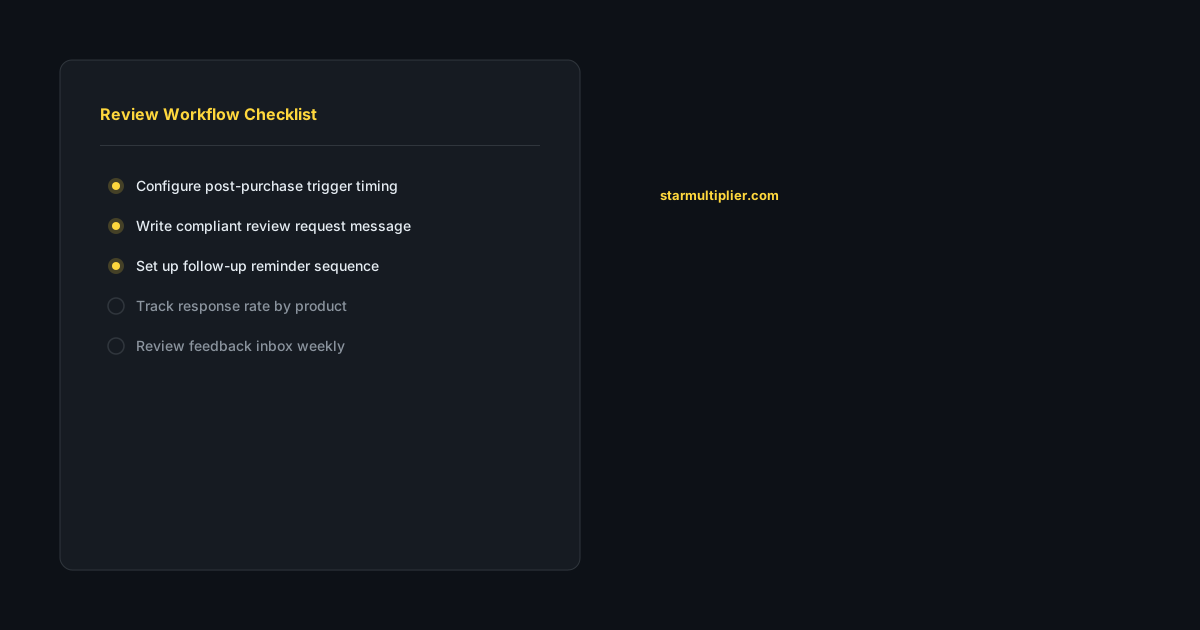
Set a specific monthly review target that aligns with your store size. Determine your optimal request timing based on actual delivery data. Create one or two message templates tailored to different customer segments. Plan your weekly review request schedule realistically based on your team capacity. Monitor progress toward your target monthly and adjust your approach based on results.
How StarMultiplier helps with WooCommerce product review strategy
StarMultiplier helps small WooCommerce stores implement their review strategy with automated request workflows that handle timing and delivery consistently. The platform connects to WooCommerce, triggers requests based on order completion, and provides response tracking that shows whether your strategy is working. Small stores get the benefits of automated review collection without the complexity of enterprise tools.
Want to see where your review workflow is leaking opportunities? Start with a StarMultiplier review audit.
Building a WooCommerce product review strategy that fits your store structure
A WooCommerce product review strategy needs to account for the specific characteristics of your store structure rather than following a generic template. WooCommerce stores vary enormously in product catalog size, customer base composition, order volume, and the review platforms relevant to their product category. A WooCommerce store selling 10 products to a highly engaged customer community needs a very different review strategy than one selling 500 products to an anonymous transactional customer base. Begin your strategy development by auditing your current review standing: how many reviews do you have per product, what is your average rating by product category, which products have the most and least reviews, and what are the most common themes in recent reviews? This audit establishes your baseline and identifies the highest-priority opportunities for improvement. Next, identify your review destination priorities: which platforms matter most for your customer base? For most WooCommerce stores, on-site product reviews are the first priority because they appear directly on product pages where they influence purchase decisions. Google Business Profile reviews are the second priority for stores with any local presence or branded search traffic. Additional platform priorities depend on the specific review destinations that are most visible to your target customer audience.
Segmenting your WooCommerce review strategy by product type
A WooCommerce product review strategy that applies a single approach to all products will consistently underperform one that segments by product type. Different products have different review collection characteristics: products that customers use immediately can support shorter timing delays between fulfillment and review request; products that require extended evaluation need longer delays. Products with passionate customer communities generate higher response rates from review requests that speak to that community's values; commodity products need more explicit motivation in the review request because customers feel less emotional investment in the purchase. High-ticket products warrant more personalized, careful review requests because the customer made a significant purchase decision and may have more complex feedback to share. Products with high return rates need review request suppression logic that ensures customers who initiated a return do not receive review requests while the return is in process. Map your product catalog into segments based on these characteristics and configure your review request workflow with different timing rules, different templates, and different follow-up cadences for each segment rather than using default settings that were designed for an average product that may not resemble any of your actual products.
Using WooCommerce product review data to improve store performance
WooCommerce product review data is a valuable but often underused source of store improvement intelligence. Reviews contain customer-generated descriptions of how products perform in real use, what customers value most, where their expectations were not met, and how your products compare to alternatives. Systematically analyzing this data — rather than reading individual reviews casually — reveals patterns that have direct implications for product development, marketing messaging, customer service, and operations. Monthly review content analysis should identify the top three to five positive themes (what customers consistently love about specific products) and the top three to five concern themes (what customers consistently mention as problems or disappointments). Positive themes validate successful product and positioning decisions and can be used to strengthen product descriptions, marketing copy, and the review request prompts that encourage more reviews about those positive aspects. Concern themes highlight improvement opportunities: is the concern about the product itself (quality, design, materials), about the buying experience (shipping time, packaging, communication), or about mismatched expectations (the product is different than what customers expected based on the listing)? Each type of concern calls for a different type of response, and distinguishing between them prevents misallocating improvement resources.
A WooCommerce product review strategy for stores with large catalogs
WooCommerce stores with large product catalogs — hundreds or thousands of SKUs — face unique review strategy challenges because it is impractical to give individual attention to every product in the catalog. A large-catalog review strategy requires prioritization frameworks that concentrate review collection effort where it will have the most business impact. Prioritize review collection for your top 20 percent of products by revenue, as these products generate the most store revenue and benefit most from stronger social proof. Prioritize products that are included in active marketing campaigns where social proof will directly improve campaign performance. Prioritize new products that have been available for 60 or more days but have fewer than 10 reviews, as early social proof is disproportionately important for new product conversion. For the remaining catalog, rely on standard automated review collection without additional targeted effort. Build your WooCommerce review workflow to support this prioritization through tags or categories that route high-priority products to enhanced follow-up sequences while standard products receive a single automated request with one reminder.
How to use WooCommerce product reviews for merchandise planning
WooCommerce product reviews are a valuable but underused input for merchandise planning decisions about which products to reorder, discontinue, or invest in expanding. Products with strong review profiles — high volume, recent reviews, positive sentiment, and specific praise about product attributes — are candidates for deeper inventory investment and expanded color or size offerings. Products with thin review profiles despite adequate sales volume may have engagement issues in the post-purchase experience that are worth investigating before making additional inventory commitments. Products with consistently critical reviews across multiple customers indicate a product quality or expectation alignment issue that should be resolved before reordering, as additional inventory of a poorly received product will generate more critical reviews and returns rather than more revenue. Products that generate reviews specifically comparing them favorably to more expensive alternatives are candidates for pricing strategy review: customers who perceive your product as competitive with premium alternatives represent an opportunity for either a price increase or a stronger premium positioning strategy. Building a monthly review of WooCommerce product review data into your merchandise planning cadence connects customer feedback to inventory decisions in a way that most stores with manual merchandise planning processes currently miss.
WooCommerce product review strategy for stores transitioning from Shopify
WooCommerce stores that transitioned from Shopify face specific product review strategy challenges related to the migration of historical review data and the reconfiguration of review collection workflows in the new platform environment. Historical reviews from Shopify that were stored in a Shopify review app are not automatically available in WooCommerce after migration: you need to export the review data from your Shopify app and import it into a compatible WooCommerce review plugin to preserve your social proof during the transition. Without this import step, your WooCommerce product pages launch with zero reviews regardless of how much review volume you had built on Shopify, which significantly impacts conversion during the transition period. Review collection workflow reconfiguration requires rebuilding your trigger logic, templates, and timing rules in whatever email automation tool you use with WooCommerce, since Shopify-specific automations do not transfer. Use the transition as an opportunity to improve your workflow configuration rather than simply replicating the Shopify configuration exactly: apply what you learned about performance optimization on Shopify to build a better-configured WooCommerce workflow from the start.