WooCommerce Review Automation: What to Automate Safely
WooCommerce Review Automation: What to Automate Safely — a practical guide for ecommerce stores. Learn how to build a more effective review collection process with better timing, messaging, and workflow.

Quick answer
WooCommerce review automation focuses on which parts of the review request process can be automated safely and which still benefit from human attention. The goal is to save time on repetitive tasks without introducing compliance risks.
What is WooCommerce review automation?
WooCommerce review automation focuses on which parts of the review request process can be automated safely and which still benefit from human attention. The goal is to save time on repetitive tasks while maintaining quality and compliance. Understanding the boundary between safe automation and risky automation helps WooCommerce store owners implement the right balance.
Why WooCommerce review automation matters for ecommerce stores
Automating the right tasks frees your team to focus on higher-value activities like responding to feedback and improving products. Automating the wrong tasks can introduce compliance risks or create a poor customer experience. Knowing which tasks benefit from automation and which require human judgment is essential for a successful review collection strategy.
How to approach WooCommerce review automation
Safe automation includes request timing, message delivery, follow-up scheduling, and response tracking. These mechanical tasks follow clear rules that software can execute consistently. Risky automation includes personalized message content that requires human context understanding, complaint handling, and nuanced response management. These tasks benefit from human assessment before action is taken.
Assess your current review collection process
Start by reviewing how you currently collect reviews. Are you using automated requests, manual emails, or no structured process at all? Understanding your starting point helps you choose the right improvements.
Define your review collection goals
Set realistic targets based on your order volume. A store processing 100 orders per week might target 10-15 new reviews per week with an optimized request workflow.
Implement and iterate
Choose the right approach for your store size and implement it. Monitor response rates and adjust timing, messaging, and targeting based on performance data.
Step-by-step WooCommerce review automation framework
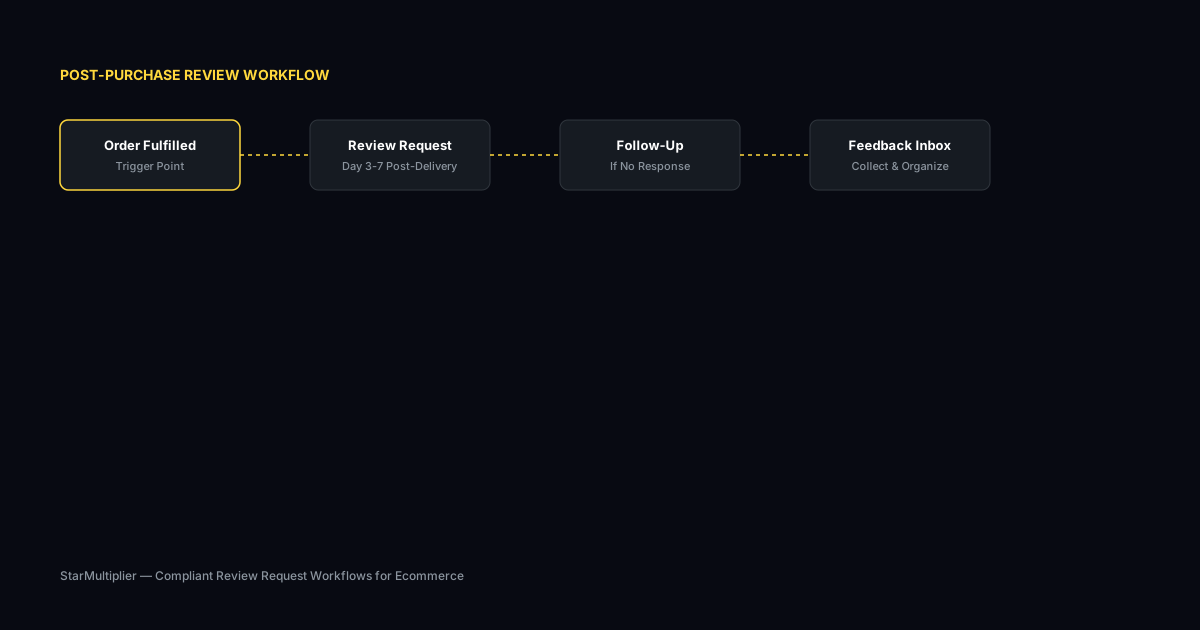
First, list every step in your current review request process from order placement through follow-up. Second, classify each step as mechanical or judgment-based. Third, automate all mechanical steps with clearly defined rules. Fourth, create review processes for judgment-based steps that require human attention. Fifth, monitor the automated steps regularly to ensure rules continue to produce good results as your store and customer base evolve.
Practical examples
A WooCommerce store automated request timing and delivery but kept message template approval as a manual step. The team reviewed and approved templates monthly, ensuring messaging stayed fresh and aligned with current promotions. The combination of automation for execution and human oversight for content created an efficient workflow that maintained brand quality. Another store automated their follow-up sequence but manually reviewed any negative responses before deciding on next steps.
Example for growing stores
A mid-size store processing 300 weekly orders implemented automated review requests and saw review volume increase from 15 to 40 reviews per month within eight weeks.
Example for small stores
A boutique store with 50 weekly orders used targeted template messages for first-time buyers and repeat customers separately, improving response rates by 25 percent.
Common mistakes to avoid
One mistake is automating message content generation without human review. Automated messages can miss context or sound impersonal, reducing response rates. Another mistake is keeping too much manual when automation would improve consistency. If your team currently sends requests at random intervals based on individual judgment, automating the timing schedule will likely improve results.
Inconsistent timing
Sending requests at random intervals confuses customers and reduces response rates. Consistent timing based on delivery windows produces better results.
Generic messaging
Using the same message for every customer misses the opportunity to tailor requests by customer segment and purchase history.
WooCommerce review automation checklist
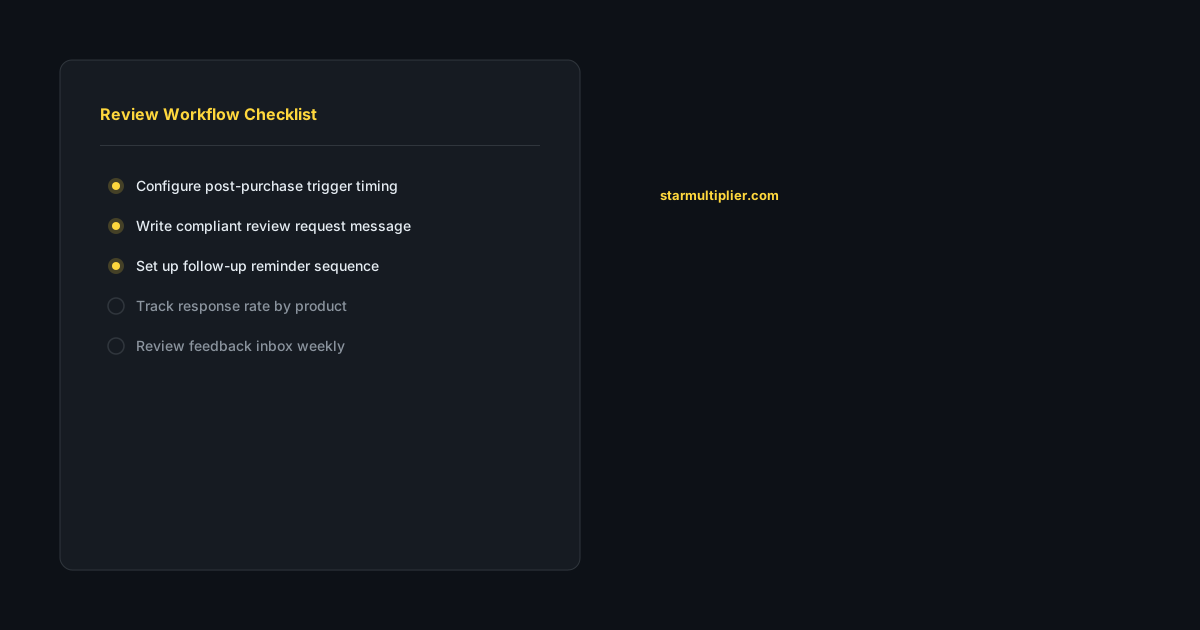
List every step in your review request process. Mark each as clearly mechanical, clearly judgment-based, or requiring both. Automate the mechanical steps with clear rules and guardrails. Establish review processes for judgment-based steps. Review your automation boundaries quarterly as your store and team evolve. Ensure compliance requirements are built into your automated processes from the start.
Want to see where your review workflow is leaking opportunities? Start with a StarMultiplier review audit.
How StarMultiplier helps with WooCommerce review automation
StarMultiplier focuses on safe automation for WooCommerce review collection. The platform automates request timing, message delivery, and follow-up scheduling based on rules you define while keeping your team in control of message templates and response management. Stores get the efficiency of automation without the risks of fully automated communication that lacks human oversight.
How WooCommerce review automation differs from Shopify review automation
WooCommerce review automation involves different technical infrastructure than Shopify review automation, primarily because WooCommerce operates on WordPress and gives store owners more direct control over their order management database. This flexibility is both an advantage and a complexity. WooCommerce stores can build highly customized review request workflows using WooCommerce order hooks that fire when order status changes, but this customization requires more technical implementation than Shopify's app-based ecosystem. Email delivery through WooCommerce is also different: by default, WooCommerce uses WordPress's built-in mail function, which has poor deliverability compared to dedicated email service providers. WooCommerce stores that want reliable review request email delivery typically need to integrate with a dedicated SMTP provider or a service like Mailgun or SendGrid. Review platform integration is another consideration: WooCommerce stores can collect reviews on their own product pages through WooCommerce's built-in product review system, and they can also collect reviews on external platforms like Google Business Profile and Trustpilot. Coordinating requests across these platforms requires a workflow that manages different link destinations for different review campaigns.
Setting up automated review requests in WooCommerce
Setting up automated review requests in WooCommerce requires connecting your order management system to your email sending infrastructure in a way that triggers at the right time. The most common approaches include using WooCommerce's built-in 'Completed Order' email as a basis for adding review request functionality, using a WordPress plugin specifically designed for review automation, or building a custom integration using WooCommerce action hooks that fire when order status changes to 'Completed' or 'Delivered.' If you are using a review automation plugin for WooCommerce, prioritize plugins that support timing based on order completion rather than just order creation, because the optimal review request window is after the customer has received their product, not when they place the order. Look for plugins that support multiple email templates for different product categories, suppression of already-reviewed customers, single follow-up reminders, and integration with Google Business Profile or Trustpilot links if you collect reviews on external platforms. Test your automated sequence with a staging order before enabling it for your full customer base to verify that timing, personalization, and link destinations all function correctly.
WooCommerce review automation compliance considerations
WooCommerce review automation creates the same compliance responsibilities as any other review collection system, because the platform you use to collect reviews does not determine whether your collection practices comply with the policies of the platforms where reviews are displayed. WooCommerce stores that collect reviews on Google Business Profile must comply with Google's review policies, which prohibit selective solicitation and fake reviews. Stores collecting Trustpilot reviews must comply with Trustpilot's policies. Stores displaying WooCommerce product reviews must comply with their own terms of service and any applicable regulations in their operating markets. The technical flexibility of WooCommerce means it is relatively easy to build non-compliant workflows, including pre-screening satisfaction questions before the review link or selective routing based on order value or customer satisfaction level. The ease of implementation does not make these tactics compliant. Build your WooCommerce review automation workflow around the same compliance principles that apply to any platform: universal solicitation within defined segments, honest invitation language, single follow-up maximum, and no selective routing based on satisfaction.
Measuring WooCommerce review automation performance
Measuring the performance of your WooCommerce review automation requires tracking metrics through both your email platform and your review platforms. On the email side, track open rates, click-through rates on review platform links, and the relationship between timing and response rates. On the review platform side, track new review volume per week, average rating trends, and whether automated requests are increasing review velocity for your highest-priority products. WooCommerce's built-in reporting does not typically include review request performance metrics, so you will need to set up tracking separately. If you are using an email service provider for review request delivery, most providers offer open and click tracking that can serve as proxies for engagement even if completed review tracking is not available. Set a monthly review cadence where you assess whether automated review requests are producing the expected volume of new reviews and whether response rates are improving or declining. Identify your highest and lowest performing products in terms of review response rates and investigate why: is the timing wrong for certain product categories, are templates for certain product types less compelling, or are there product quality issues surfacing in customer feedback?