Review Request Strategy for Ecommerce Stores
review request strategy — a practical guide for ecommerce stores. Learn how to build a more effective review collection process with better timing, messaging, and workflow.
Quick answer
review request strategy helps store owners plan when, how, and why to ask customers for product reviews. A good strategy balances timing, messaging, and compliance so every request feels natural rather than pushy and produces more authentic customer feedback over time.
What is review request strategy?
Review Request Strategy for Ecommerce Stores starts with understanding your customers' post-purchase experience. A review request strategy is not just about sending more emails. It is about asking at the right moment, with the right message, through the right channel, so customers feel good about sharing their experience rather than annoyed by another automated message.
Why review request strategy matters for ecommerce stores
For ecommerce stores, review request strategy matters because every product review is a piece of social proof that helps future shoppers make confident purchase decisions. Stores with a clear strategy collect more reviews, build stronger product page trust, and reduce the operational burden of manual follow-up.
How to approach review request strategy
The most effective review request strategy starts with three decisions: when to ask (timing based on delivery confirmation), how to ask (channel choice and message tone), and who to ask (segmenting by customer type and purchase history). These decisions form the foundation of a repeatable, scalable process.
Assess your current review collection process
Start by reviewing how you currently collect reviews. Are you using automated requests, manual emails, or no structured process at all? Understanding your starting point helps you choose the right improvements.
Define your review collection goals
Set realistic targets based on your order volume. A store processing 100 orders per week might target 10-15 new reviews per week with an optimized request workflow.
Implement and iterate
Choose the right approach for your store size and implement it. Monitor response rates and adjust timing, messaging, and targeting based on performance data.
Step-by-step review request strategy framework
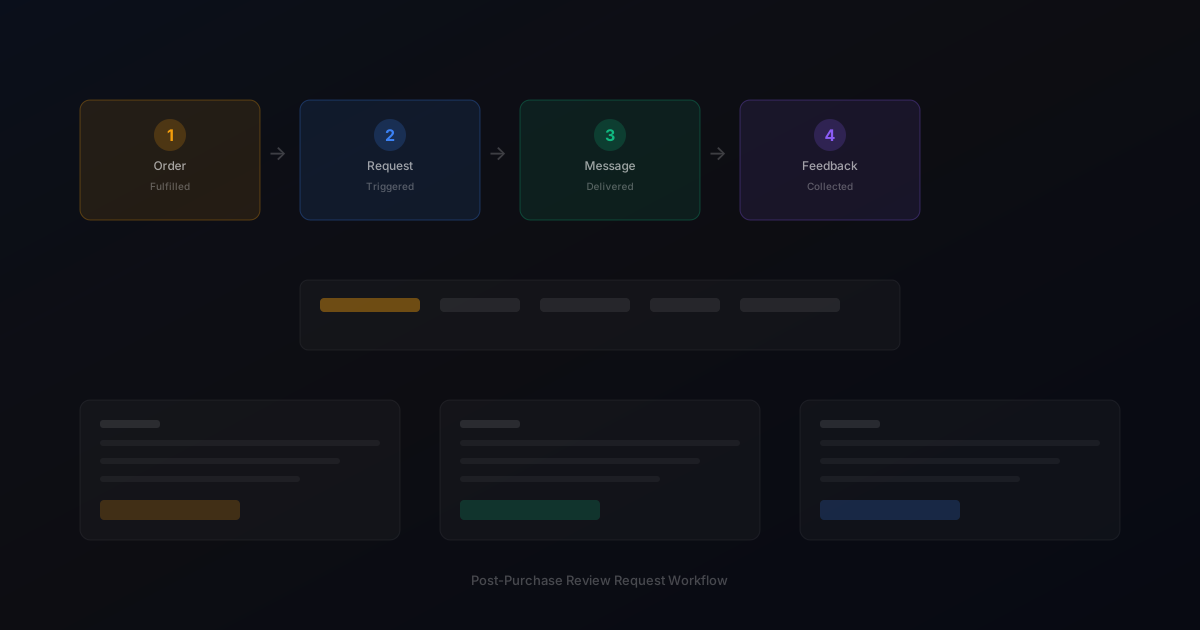
1. Map your post-purchase timeline from order confirmation through delivery and product use experience. 2. Choose your primary request channel based on customer preferences and your team's capacity. 3. Write segment-specific templates for first-time buyers, repeat customers, and high-value orders. 4. Set timing rules that trigger requests after delivery confirmation with appropriate delays. 5. Configure a single follow-up reminder for customers who do not respond. 6. Connect your feedback inbox so responses reach the right team members. 7. Review response rate data monthly and adjust timing or messaging based on performance.
Practical examples
A home goods store processing 150 weekly orders mapped their post-purchase timeline and realized they were sending review requests too early, before customers had time to use the products. By shifting the request from 2 days after delivery to 5 days after delivery, their response rate increased by 18 percent.
Example for growing stores
A mid-size store processing 300 weekly orders implemented automated review requests and saw review volume increase from 15 to 40 reviews per month within eight weeks.
Example for small stores
A boutique store with 50 weekly orders used targeted template messages for first-time buyers and repeat customers separately, improving response rates by 25 percent.
Common mistakes to avoid
One common mistake is treating every customer the same. First-time buyers need a warmer introduction to the review process, while repeat customers appreciate recognition of their loyalty. A second mistake is sending too many follow-ups. More than one reminder risks annoying customers and can feel pushy rather than helpful.
Inconsistent timing
Sending requests at random intervals confuses customers and reduces response rates. Consistent timing based on delivery windows produces better results.
Generic messaging
Using the same message for every customer misses the opportunity to tailor requests by customer segment and purchase history.
review request strategy checklist
Define your review request timing window based on delivery confirmation. Write separate templates for first-time buyers, repeat customers, and high-value orders. Set up automated triggers connected to your ecommerce platform. Configure a single follow-up reminder. Monitor response rates monthly. Review platform compliance policies quarterly.
How StarMultiplier helps with review request strategy
review request strategy is where StarMultiplier fits naturally. The platform connects to your Shopify store, automates review request timing based on order fulfillment, and provides segment-specific templates. Your team can monitor response rates and manage feedback from a single dashboard without technical setup or ongoing manual work.
Want to see where your review workflow is leaking opportunities? Start with a StarMultiplier review audit.
Building a segmented review request strategy that respects customer context
A one-size-fits-all review request strategy treats every customer identically, which produces mediocre results across all segments and outstanding results in none. A segmented approach recognizes that different customer types have different relationships with your brand and different motivations for sharing feedback. First-time buyers are excited about their initial purchase but may not yet feel a strong connection to your brand. Their review request should acknowledge that this is their first order, express appreciation for their trust, and make the review process as simple as possible by providing a direct link with minimal steps. Repeat customers have an established relationship with your brand and more context for how your products perform over time. Their requests can be warmer in tone and may reference their purchase history to demonstrate that your brand recognizes and values their loyalty. High-value customers who have spent significantly with your brand deserve acknowledgment of that relationship in your messaging. Subscription customers need a different cadence entirely: sending monthly review requests for the same product creates annoyance rather than engagement. Develop separate timing and messaging strategies for each major customer segment in your store, and monitor response rates separately for each segment to understand what is working.
The compliance layer every ecommerce review strategy needs
Any review request strategy that does not address compliance is incomplete and potentially risky. Platform policies govern not just how you collect reviews but what you are allowed to say in your request messages, whether you can offer incentives, and how you can route customers to review platforms. Shopify prohibits review gating: the practice of selectively sending only satisfied customers to review platforms while directing unsatisfied customers to private channels. Google's review policies prohibit soliciting reviews only from customers you believe will leave positive feedback. Trustpilot requires that all customers receive review invitations, not just selected segments. These policies exist because selective review solicitation distorts the information available to future shoppers and undermines the trust that makes reviews valuable in the first place. Build compliance into your review request strategy from the start rather than treating it as an afterthought. Review the current policies of every platform where you collect or display customer reviews at least once per quarter, as these policies change over time. Design your segmentation around customer type and purchase history rather than predicted satisfaction, and send review requests to all customers within each defined segment rather than filtering based on any satisfaction pre-screening.
Measuring the effectiveness of your review request strategy over time
A review request strategy that is not measured cannot be improved. The key metrics to track include overall review request response rate, which shows the percentage of customers who complete a review after receiving a request. Track this metric monthly and by customer segment to identify which groups respond best and which need different approaches. Email open rate for review request messages helps you identify whether subject line and preview text are effective at getting customers to engage with the initial communication. Click-through rate on the review platform link shows how many customers who open your email actually move toward completing a review. Completion rate at the review platform itself is often harder to track but valuable if your review platform provides this data. Review quality, measured by average review length and specificity, indicates whether customers are providing genuinely useful feedback or just checking a box with minimal text. Set a monthly review cadence where your team looks at these metrics together and identifies what is improving, what is declining, and what experiments you want to run in the coming month. Over 6 to 12 months, consistent measurement and iteration can significantly improve response rates and review quality without requiring changes to your core workflow.
A 90-day plan for improving your ecommerce review request strategy
A 90-day improvement plan for your review request strategy follows a structured cadence that builds on data from each phase before proceeding to the next. In the first 30 days, establish your baseline: document current review volume per week, set up tracking for open rate, click-through rate, and completed review rate, and identify your lowest-performing product segments by response rate. In the second 30 days, make targeted improvements based on baseline data: update the two or three templates with the lowest open or click-through rates, adjust timing rules for the product categories where response rates are weakest, and add a reminder sequence if you do not already have one. In the third 30 days, measure the impact of the improvements made in the second phase and refine further: compare metrics against the 30-day baseline, identify which changes produced the most meaningful improvement, and document which optimizations should be made permanent versus which need further testing. By the end of 90 days, you have both a meaningfully better-performing review strategy and a documented improvement methodology that your team can continue applying in subsequent quarters.
How to align your review request strategy with seasonal peaks
Seasonal alignment in your review request strategy addresses the fact that customer behavior, order timing, and review platform dynamics all change significantly during peak periods like holiday seasons, major sales events, and product launches. During the holiday season, order volume spikes significantly, which means review request volume spikes proportionally. Ensure your review platform can handle the increased volume without deliverability degradation. Adjust timing rules to account for longer shipping windows during the holiday peak: packages that normally arrive in 5 days may take 10 to 14 days during the holiday crush, and review requests that fire based on standard timing may arrive before delivery. After the holiday season, the surge of post-holiday purchases generates a large review collection opportunity in January and February: customers who received gifts, kept them, and formed opinions are ideal review request targets if your workflow captures holiday order fulfillments correctly. For major sales events, adjust your review request content to acknowledge that the customer may have purchased during a promotional period and invite them to share their experience with the product regardless of the price they paid.
Common mistakes in ecommerce review request strategies and how to fix them
The most common mistakes in ecommerce review request strategies fall into predictable patterns that are straightforward to fix once identified. Sending too early — firing review requests before delivery has occurred — is the single most common configuration error and produces the lowest response rates because customers cannot review a product they have not yet received. The fix is a simple timing adjustment: verify your delay is calculated from fulfillment date and add at minimum 5 days before any review request fires. Using the same template for all customers regardless of their history is the second most common mistake: a first-time buyer and a customer who has placed 10 orders have fundamentally different relationships with your brand and benefit from different messaging. Create at minimum a first-time buyer variant and a repeat customer variant. Sending too frequently — more than one reminder after the initial request — creates negative experiences that can generate unsubscribes and support complaints. One reminder, sent 5 to 7 days after the initial request, is the appropriate cadence for most ecommerce stores. Not monitoring performance is the final common mistake: a set-and-forget approach allows configuration issues or performance declines to persist for months without detection. Schedule a monthly 10-minute metrics check as the minimum viable monitoring practice.