Best Review Request Email Flow for Ecommerce Brands
review request email flow — a practical guide for ecommerce stores. Learn how to build a more effective review collection process with better timing, messaging, and workflow.
Quick answer
A review request email flow sequences automated messages after purchase to ask for feedback at the right moment. The best flows include a primary request after delivery confirmation, a single reminder for non-responders, and optional follow-ups for high-value segments.
What is review request email flow?
A review request email flow sequences automated messages that guide customers from purchase completion to leaving a product review. The best flows respect the customer's time, provide clear value at each step, and make leaving feedback feel like a natural extension of the buying experience rather than an interruption.
Why review request email flow matters for ecommerce stores
review request email flow matters because the sequence of messages you send shapes how customers perceive your brand after purchase. A well-designed flow builds trust and shows customers you care about their opinion. A poorly designed flow can feel spammy and damage the relationship you just built during the sale.
How to approach review request email flow
The most effective review request email flow includes three messages: a primary request after delivery, a gentle reminder for non-responders, and a final message that closes the loop. Each message should have a distinct purpose and tone so the sequence feels thoughtful rather than automated.
Assess your current review collection process
Start by reviewing how you currently collect reviews. Are you using automated requests, manual emails, or no structured process at all? Understanding your starting point helps you choose the right improvements.
Define your review collection goals
Set realistic targets based on your order volume. A store processing 100 orders per week might target 10-15 new reviews per week with an optimized request workflow.
Implement and iterate
Choose the right approach for your store size and implement it. Monitor response rates and adjust timing, messaging, and targeting based on performance data.
Step-by-step review request email flow framework
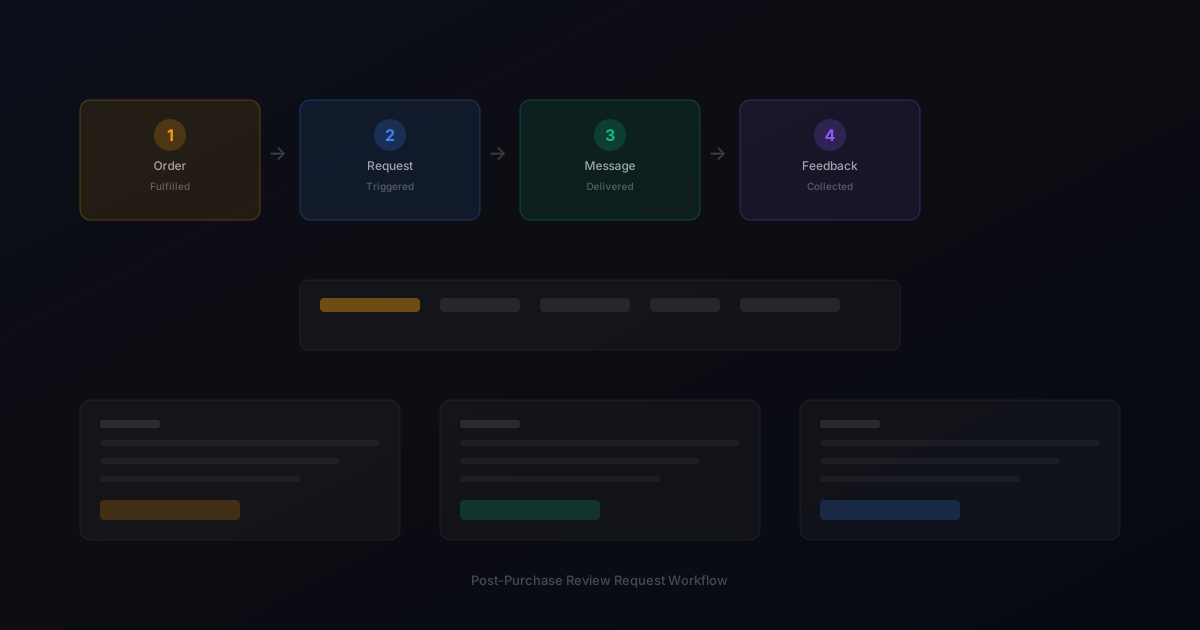
Message 1 (Day 3-5 after delivery): Thank the customer for their purchase, explain how reviews help other shoppers, and include a direct link to leave feedback. Message 2 (Day 10-12): A shorter reminder that acknowledges the customer may be busy and reiterates the value of their perspective. Message 3 (Day 17-20): A brief final note thanking them regardless of whether they respond.
Practical examples
An electronics accessories store implemented a 3-email flow and saw review collection increase by 35 percent compared to their previous single-email approach. The key was spacing the messages appropriately: first request at day 4, reminder at day 11, final note at day 18.
Example for growing stores
A mid-size store processing 300 weekly orders implemented automated review requests and saw review volume increase from 15 to 40 reviews per month within eight weeks.
Example for small stores
A boutique store with 50 weekly orders used targeted template messages for first-time buyers and repeat customers separately, improving response rates by 25 percent.
Common mistakes to avoid
The most common mistake is sending all three messages too close together. Messages that arrive within a few days of each other feel overwhelming. Another mistake is using identical subject lines or opening sentences across the sequence, which makes it obvious the messages are automated.
Inconsistent timing
Sending requests at random intervals confuses customers and reduces response rates. Consistent timing based on delivery windows produces better results.
Generic messaging
Using the same message for every customer misses the opportunity to tailor requests by customer segment and purchase history.
review request email flow checklist
Map your flow timing based on your typical delivery window. Write three distinct messages with different angles. Space messages at least 5-7 days apart. Include an unsubscribe option in every message. Track open rates and click-through rates for each step.
How StarMultiplier helps with review request email flow
StarMultiplier simplifies building a review request email flow by providing pre-built templates, configurable timing rules, and automatic follow-up management. Stores can launch a professional 3-step flow in minutes without writing custom code or managing separate email campaigns.
Want to see where your review workflow is leaking opportunities? Start with a StarMultiplier review audit.
Designing an email flow that feels like a conversation rather than a campaign
The best review request email flows feel like natural follow-ups from a brand that genuinely cares about customer satisfaction, not like automated marketing campaigns. This quality of communication comes from several design choices. First, the sender name and email address should come from a recognizable brand address or individual name rather than a generic 'noreply@' address. Customers are more likely to open and respond to emails from 'Sarah at BrandName' or 'The BrandName Team' than from 'support@brandname.com.' Second, the tone should match your brand voice. A premium lifestyle brand should use measured, thoughtful language. A fun, casual direct-to-consumer brand can be warmer and more conversational. The review request email is a touchpoint with your brand, and it should feel consistent with every other communication you send. Third, the email should demonstrate that your brand knows something specific about the customer's experience. Referencing the specific product they purchased, acknowledging that you hope delivery went smoothly, or mentioning something relevant to their product category shows that the email is personal rather than a mass send to your entire customer list.
The anatomy of a high-performing review request email
A high-performing review request email has five key components that work together to drive completion rates. The subject line should be specific, honest, and curiosity-inducing without being manipulative. Including the product name or a natural question performs better than generic subject lines about reviews. The opening should quickly establish context, remind the customer what they purchased, and signal that enough time has passed for them to form an opinion. The value proposition should explain briefly why reviews matter: honest customer feedback helps future shoppers make better decisions and helps your brand understand what to improve. The call to action should be a single, clear, prominent link or button that takes the customer directly to the review form with minimal additional steps. Finally, the closing should acknowledge that their feedback is appreciated regardless of what they say and make it easy for them to contact support if they had any concerns with their order. This last element is particularly important because it provides a natural pathway for customers with problems to reach your team rather than going directly to a public review platform.
How to sequence your review request emails for best results
A well-sequenced review request email flow typically includes two emails: the primary request and a single follow-up reminder. The primary request should fire 5 to 10 days after confirmed delivery, depending on your product category. Set a rule that prevents the primary request from sending if the order has been returned or a refund has been issued — these customers should not receive review requests. The follow-up reminder should send 5 to 7 days after the primary request, but only to customers who did not click the review link in the primary request. If the customer clicked the link but did not complete a review, a follow-up is still appropriate since they expressed interest but may have abandoned the process partway through. Include a suppression rule that prevents any further review emails to customers who have already left a review, based on whatever detection mechanism your platform provides. The follow-up email should acknowledge the previous contact with light language: 'We shared a quick note about your recent purchase last week' is more respectful than 'You still haven't left a review.' Keep the follow-up email shorter and more direct than the primary request — customers who did not respond to the first email need a faster, lower-friction path to completion.
Testing and improving your review request email flow over time
Even a well-designed review request email flow benefits from systematic testing and improvement over time. Start by establishing baseline metrics: open rate, click-through rate, and completed review rate for your current flow. These metrics tell you where in the funnel customers are dropping off. If open rate is low, your subject line and sender name need improvement. If open rate is strong but click-through is weak, your email body or call to action is not compelling. If click-through is strong but completed reviews are low, the issue may be at the review platform itself: the process is too complex, the platform requires account creation, or the link is broken. Test subject line variations by splitting your review request sends 50/50 between two subject line options for 30 days and comparing open rates. Test timing by varying your send delay by two days for a segment of customers to see whether earlier or later requests perform better for your specific customer base. Test email length by comparing a short, direct email against a more detailed one to see whether your customers respond better to brevity or context. Dedicate one change at a time to these tests so you can attribute any change in metrics to the specific variable you changed.
Review request email flow performance benchmarks by industry
Understanding how your review request email flow performance compares to industry benchmarks requires choosing appropriate benchmarks for your specific product category and customer relationship type. General ecommerce review request open rate benchmarks range from 20 to 35 percent across categories, with higher rates typical for brands with strong customer relationships and personalized sending, and lower rates for transactional brands with less engaged email lists. Click-through rates on review platform links from opened emails range from 15 to 30 percent, with higher rates typical for brands whose templates effectively communicate the value and simplicity of the review process. Overall response rates — completed reviews as a percentage of requests sent — range from 3 to 12 percent across ecommerce categories, with direct-to-consumer brands typically achieving higher rates than marketplace sellers because of stronger customer relationships. Use these ranges as context for your own metrics rather than as rigid targets, because your specific customer base, product category, and brand relationship quality all affect what is achievable for your specific flow.
Automating your review request email flow without losing authentic tone
Automation removes the manual effort from review collection, but it introduces a risk of impersonal, robotic-feeling communications that reduce response rates compared to well-written manual outreach. Preserving authentic tone in an automated flow requires deliberate design choices at both the template level and the workflow level. At the template level: write your automated templates in a voice that sounds like a real person from your brand rather than a software system, use the customer's first name throughout the email rather than only in the greeting, and reference specific product details that demonstrate the email is based on real order data rather than generic. At the workflow level: configure the system to send from a real person's name and email address rather than a generic brand address, avoid send times that feel automated — 3am sends look like software schedules rather than human decisions — and ensure that reply-to addresses go to a real inbox that someone reads so customers who reply to the review request email get a human response rather than an auto-reply.
How to document and maintain your review request email flow as your team grows
Documenting your review request email flow creates institutional knowledge that survives team transitions and allows multiple team members to manage and improve the flow without relying on one person's understanding of how it works. Effective documentation for a review request email flow covers three levels. The configuration level documents every setting in your platform: timing delays for each trigger, segmentation rules for each template, follow-up timing and suppression conditions, and review platform destination links. The business logic level documents why each configuration decision was made: why a particular timing delay was chosen, why certain customers are excluded from certain templates, and what past experiments informed the current configuration. The operational level documents how the flow is monitored: which metrics are checked weekly versus monthly, what thresholds indicate a problem requiring investigation, and what the escalation path is when a significant issue is found. Keep this documentation in a shared location accessible to all team members with review operations responsibility, and update it within 72 hours whenever any configuration change is made so the documentation accurately reflects the live configuration at all times.