Shopify Review Collection Checklist: Everything You Need to Set Up Correctly
A complete checklist for setting up Shopify review collection from scratch, including platform integration, template configuration, compliance verification, and launch testing.
Quick answer
Set up Shopify review collection by connecting a review app to your store, configuring timing and segmentation rules, writing personalized templates for each customer segment, testing with real orders, and verifying compliance before going live.
Pre-setup checklist: decisions to make before you configure anything
Before opening any review collection platform or Shopify app, make three decisions that will shape every subsequent configuration choice. First, decide which review platform destination you will direct customers to: your Shopify product page review section, Google Business Profile, a third-party platform like Trustpilot, or a combination. Your review destination determines which platform integrations you need and which review collection app is most appropriate. Second, decide on your customer segments: at minimum, will you segment first-time buyers and repeat customers with different templates? Will you create product category segments? Making these decisions before configuration prevents starting with a single-template setup that you then rebuild later as segmentation is added. Third, decide on your compliance approach: read the current review policies for Shopify and your chosen review destination platforms before selecting a collection tool, so you can evaluate tools against compliance requirements from the start rather than discovering compliance issues after implementation. These three pre-setup decisions take 1 to 2 hours but save significantly more time than they cost by preventing configuration decisions that need to be reversed later.
Integration and technical setup checklist
This integration checklist covers the technical setup steps required before any review request can send successfully. Install and authenticate your chosen review collection app in your Shopify admin. Grant the app the necessary permissions to access order data — most apps need access to customer email, order products, and fulfillment status. Verify that your Shopify store's order data is flowing into the review app correctly by checking that recent fulfilled orders appear in the app's order dashboard within a few hours of fulfillment. Configure your email sending domain authentication (SPF and DKIM) for the domain you will use to send review request emails, to ensure deliverability. Set your review request sending address to a monitored inbox — never an unmonitored address — so that customer replies to review request emails receive a human response. Configure your review platform link destination and verify the link goes to the correct page by clicking it yourself from a non-logged-in browser. Verify that the review link destination does not require login before the review form is accessible — login requirements are a significant friction point that reduces completion rates.
Template and content checklist
This template checklist ensures every review request email is set up to perform effectively. Does each template include the customer's first name in both the subject line and the greeting? Does the subject line reference the specific product purchased rather than a generic product placeholder? Does the email body reference the customer's specific product name at least once in the first paragraph? Is the review platform link presented as a prominent button or clearly formatted link rather than buried in a block of text? Does the template include a direct contact option for customers who had any issue with the order? Does the template language invite honest feedback from all customers rather than implying only positive responses should proceed to the review platform? Does the template comply with CAN-SPAM requirements including a functioning unsubscribe mechanism? Is the email mobile-readable with appropriate font sizes and button sizes for touch navigation? Is the email under 200 words in total copy, excluding the header and footer? Each checklist item should be verified by previewing the actual sent template rather than just reviewing the template editor view.
Workflow configuration checklist
This workflow checklist verifies that your review collection timing, segmentation, and suppression logic is configured correctly. Is the review request trigger set to fire based on order fulfillment status rather than order creation or payment status? Is the timing delay set to a minimum of 5 days after fulfillment for domestic orders (7 to 10 days recommended for most product categories)? Is the follow-up reminder configured to send 5 to 7 days after the initial request? Is the follow-up suppressed for customers who clicked the review link in the initial request? Is the follow-up suppressed for customers who opted out of review communications? Is the review request suppressed for orders with return requests initiated before the send date? Is the follow-up reminder the only additional outreach sent — no third or fourth follow-up emails in the sequence? Are first-time buyers receiving the first-time buyer template and repeat customers receiving the repeat customer template? Are any products excluded from review collection that should not be? Are any customer groups excluded from review collection that should not be?
Compliance verification checklist
This compliance checklist verifies that your review collection workflow meets the requirements of Shopify's review policies, FTC guidelines, and the policies of your chosen review destination platforms. Does any step in your workflow ask customers about their satisfaction before providing a review platform link? If yes, this is review gating — remove this step. Are all customers in each defined segment directed to the same review platform link regardless of any satisfaction signal? If no, identify and remove any branching that directs customers to different destinations based on satisfaction. Do your review request templates invite honest feedback explicitly rather than implying only positive responses are welcome? Do your templates comply with FTC disclosure requirements if any incentive is offered in connection with reviews? Have you read the current review policies for Shopify and your review destination platforms within the past 90 days? Have you documented your compliance approach in writing so future team members understand the compliance intent behind workflow configuration decisions?
Want to see where your review workflow is leaking opportunities? Start with a StarMultiplier review audit.
Launch testing checklist
This launch testing checklist should be completed using real test orders before enabling the workflow for production traffic. Place a test order for a product in each of your customer segment categories (at minimum, a first-time buyer order and a repeat customer order). Fulfill the test orders and confirm they appear in the review platform's order dashboard. Allow the timing delay to pass and verify the review request email sends at the correct interval after fulfillment. Open the sent email and verify: correct customer name personalization, correct product name, functional review platform link, functional unsubscribe link, correct sender name and address. Click the review platform link and verify it reaches the correct review form without requiring login. Complete a test review and verify it appears on the correct product page. Send the test orders through the follow-up reminder timing window and verify the reminder sends correctly. Verify that a simulated review completion (or link click) suppresses the follow-up. After completing all launch testing steps successfully, enable the workflow for production traffic.
Common Shopify review collection setup mistakes and how to prevent them
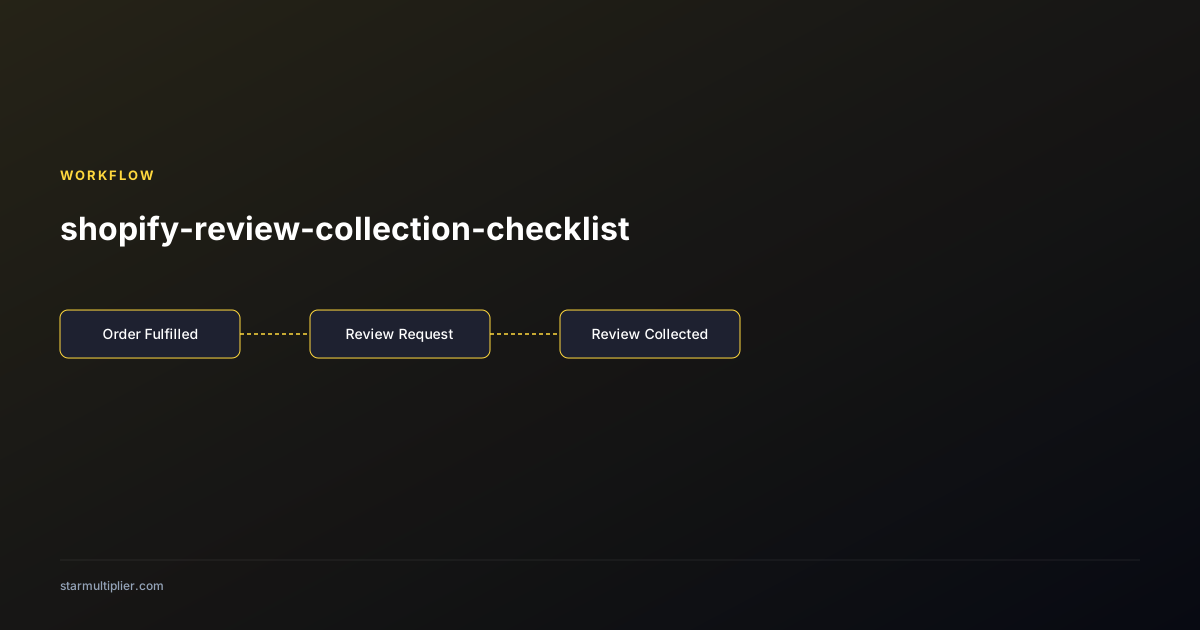
Specific Shopify review collection setup mistakes occur with enough regularity across stores that they are worth explicitly listing and preventing proactively. Mistake one: configuring the trigger on order created rather than order fulfilled — review requests fire before orders ship, producing confusion and zero reviews. Prevention: verify trigger configuration against the order lifecycle diagram for your specific Shopify review app before activating. Mistake two: failing to configure return order suppression — customers who return an order receive a review request for the returned product, creating a poor customer experience and inappropriate outreach. Prevention: verify the return suppression rule is enabled and test it by processing a test return. Mistake three: using an unmonitored sending address — customers who reply to review requests with concerns reach an inbox no one reads. Prevention: configure the review request sending address to route replies to a monitored customer service inbox. Mistake four: using the product catalog filter incorrectly — the filter that was intended to exclude test products also excludes some live products. Prevention: after configuring any product filter, verify coverage by checking that your five most popular products are included in the review request queue.
Maintaining Shopify review collection quality as your store grows
Shopify review collection quality is easier to maintain proactively than to restore reactively after quality has degraded. Build three maintenance habits into your operational cadence. First, a weekly five-minute dashboard check that confirms send volume matches expected order volume, open rates are within normal range, and no obvious anomalies appear in the platform's status dashboard. Second, a monthly template review that reads through the current templates and verifies all personalization fields are populating correctly in recent sends, all links are functional, and the language still reflects your current brand voice and product positioning. Third, a quarterly platform update check that reviews any Shopify App Store updates to your review app, reads the changelog for functionality or behavior changes, and verifies that any automated updates have not modified your configured settings. These three habits together require less than two hours per month of combined attention but prevent the silent quality degradation that most stores experience when review collection is treated as set-and-forget infrastructure rather than actively maintained operational capability.
Quarterly Shopify review collection health checklist
A quarterly health check takes less than an hour to complete and catches the configuration drift, workflow failures, and coverage gaps that accumulate silently between active maintenance periods. The quarterly checklist should verify: order integration health (confirm orders from the past 30 days are appearing correctly in your review tool's order queue, check for any integration error notifications); template health (send a test review request for each active template to a test email address and verify all personalization fields populate correctly and all links function); suppression rule health (verify return suppression is active by checking whether any returned orders from the past 30 days appear in the pending review request queue — they should not); review response coverage (check that all 1-star and 2-star reviews from the past 90 days received a response within 48 hours); and performance trend (compare this quarter's review collection volume and response rate against the prior quarter and the same quarter from the previous year to identify any meaningful trend changes). Document the results of each quarterly check and store them in your operations log so the trend across multiple checks is visible.
Checklist
- Make 3 pre-setup decisions: review destination, customer segments, compliance approach
- Verify Shopify order data is flowing into the review app within hours of fulfillment
- Configure email authentication (SPF/DKIM) for your sending domain
- Verify review platform link reaches form without login requirement
- Confirm all templates include first name, product name, honest feedback invitation, and contact option
- Confirm workflow trigger is on fulfillment status, not order creation
- Complete end-to-end launch testing with real test orders before enabling for production