Review Platform Setup Guide: Configuring Your Ecommerce Review Collection
Setting up a review platform correctly from the beginning saves weeks of troubleshooting later. This guide covers every configuration step with actionable instructions.
Quick answer
Set up your review platform by connecting it to your store, configuring timing and segmentation rules, writing templates for each customer segment, setting up review destination links, and running end-to-end tests with real orders before launching to full traffic.
Phase 1: Account setup and store integration
The first phase of review platform setup establishes the technical connection between the platform and your ecommerce store. Create your review platform account and complete the initial organization setup including your brand name, store URL, and primary contact email. Install the platform's Shopify app or configure the API integration for WooCommerce, and complete the authentication flow that grants the platform access to your order data. After connecting, verify the integration is working by checking that recent fulfilled orders appear in the platform's order dashboard — if your last 10 fulfilled orders are visible in the platform within a few hours of completing the integration, the connection is working correctly. Configure your email sending setup: add your brand's domain as an authenticated sending domain, set up SPF and DKIM records as directed by the platform, and verify email authentication is passing before configuring any templates. Email authentication problems are the most common cause of deliverability issues for new review collection setups and are much easier to diagnose and resolve before templates are built than after the first sends have been delivered to spam.
Phase 2: Workflow configuration
Workflow configuration defines the rules that govern who receives review requests, when, and what happens at each step of the sequence. Set the trigger event to order fulfillment status change — specifically the event that fires when an order is marked as fulfilled and tracking information is added. Configure the initial request timing delay: for standard products with 3 to 7 day domestic shipping, a 7 to 10 day delay after fulfillment is appropriate. Configure the follow-up reminder timing at 5 to 7 days after the initial request. Set suppression rules: the follow-up should not send to customers who clicked the review link in the initial request, to customers who submitted a review, to customers who opted out, or to customers whose order was returned between fulfillment and the review request send date. Configure customer segments if you are implementing segmentation at launch — create a first-time buyer segment based on order count equal to 1 and a repeat customer segment based on order count greater than 1. Verify that your segment logic is capturing the right customers by checking a sample of recent orders against their correct segment assignment before building templates.
Phase 3: Template development
Template development is the creative phase of review platform setup where you write the review request emails that customers will receive. For each customer segment configured in phase 2, develop a complete template including the subject line, preview text, email body, call-to-action, and footer. Subject line best practices: include the customer's first name personalization token and a product name reference, keep total length under 50 characters for optimal mobile display. Email body best practices: open with the customer's name and a specific reference to the product they purchased, make the request in one clear sentence, include a prominent button or link to the review platform, add a brief contact option for customers with concerns, and close without over-explaining. Compliance best practices: the template must not imply that only positive responses are welcome, must not direct customers to different destinations based on satisfaction, must include a functional unsubscribe mechanism, and must comply with CAN-SPAM requirements for commercial email. Build a separate follow-up reminder template for each segment that uses a different subject line than the initial request to avoid appearing as a duplicate in the customer's inbox.
Phase 4: Review destination configuration
Review destination configuration specifies where customers are directed to leave their review and verifies that the destination is accessible and functional. For on-site review collection, configure the link to go directly to the product review form for the specific product purchased — most Shopify review apps generate this link automatically from the order's product data. For Google Business Profile reviews, create a direct review link using your Google Business Profile's review link generator and verify that clicking the link takes a non-logged-in user directly to the review form without requiring navigation. For third-party platforms like Trustpilot, obtain your store's invitation URL from the platform dashboard and test that it reaches the correct review submission form. If directing different customer segments to different review destinations, verify the correct segment-to-destination mapping is configured before testing — the most common multi-platform configuration error is routing all customers to the same destination regardless of segment.
Phase 5: End-to-end testing
End-to-end testing is the most critical phase of review platform setup because it validates that every element of the workflow works correctly with real data before the workflow processes any customer orders. Place a test order for each segment you have configured — at minimum, place one order that will be classified as a first-time buyer and one that will be classified as a repeat customer. Fulfill both test orders using your standard fulfillment process. Wait for the timing delay to pass and verify that the review request emails send at the correct time. Open the emails from a device other than the one used to send the test to see the customer experience. Click through every link in each email: the review platform link, the contact email link, and the unsubscribe link. Verify the review platform link reaches the review form without additional login. Complete a test review and verify it appears correctly on the product page. If you have a follow-up reminder configured, wait for the reminder timing window and verify the reminder sends correctly. After all tests pass, document the test results with the date and tester name, and proceed to enabling the workflow for production traffic.
Want to see where your review workflow is leaking opportunities? Start with a StarMultiplier review audit.
Phase 6: Launch and first-month monitoring
Launching the review platform workflow requires enabling the trigger for production orders and establishing the first-month monitoring cadence that will catch any issues before they significantly affect review collection. Enable the workflow for all new orders and confirm through your platform dashboard that new fulfilled orders are entering the queue and being assigned to the correct templates. During the first two weeks, check the platform dashboard daily to verify that orders are being processed, emails are sending, and the basic mechanics of the workflow are functioning correctly. At the end of week two, review the first performance data: email send count (does it match order volume minus the timing delay?), open rate (is it within the expected range for your industry), and click-through rate (are customers engaging with the review link). If any metric is significantly outside expected ranges, investigate before making any configuration changes, since the first two weeks of data may include noise from the initial population of the queue. At the end of the first month, produce your first monthly performance summary and compare against the targets you set during the pre-setup decision phase.
Troubleshooting common review platform setup problems
Specific problems recur across review platform setups with enough frequency that their diagnostic approaches are worth documenting. Problem: new orders are not appearing in the review platform after fulfillment. Diagnostic: check whether the integration connection is still authenticated (tokens expire and must be reauthorized) and whether there are any recent error notifications in the platform's integration health dashboard. Problem: review request emails are not sending despite orders appearing correctly in the platform dashboard. Diagnostic: check whether the timing delay has elapsed for queued orders (orders added to the queue today will not send for 7 to 10 days), check whether email sending authentication is passing (SPF and DKIM verification status in the platform settings), and check whether there are any email sending credit or volume limits being reached. Problem: customers report receiving review requests they should not have received (for returned orders, for example). Diagnostic: check whether suppression rules are correctly configured and actively filtering the intended order types. Problem: review platform link in the email goes to a 404 error. Diagnostic: verify that the product review destination URL format matches the current URL structure of your review destination page.
Review platform setup for stores with complex catalog structures
Stores with complex catalog structures — multiple product lines, bundles, variant-heavy products, subscription products alongside one-time purchase products — require additional setup considerations that standard linear setup guides do not address. For bundle products, decide whether the review request should cover the bundle as a single item, all individual products in the bundle, or only the primary product. For variant-heavy products (multiple colors, sizes, materials), verify that the review request references the specific variant purchased rather than just the base product name — 'Your Blue Medium [Product Name]' is more specific and personalized than just '[Product Name].' For subscription products, configure the review cadence rules separately from your standard one-time purchase workflow to avoid over-contacting recurring subscribers. For digital or service products alongside physical products, verify that review request timing and content is appropriate for the digital or service context rather than assuming all orders involve physical delivery. Document the catalog-specific configuration decisions made during setup so future team members understand why certain products or collections receive different review collection treatment than the standard configuration.
Testing your review platform setup end-to-end before launch
A complete end-to-end test of your review platform setup before activating it for live customers prevents the most costly setup errors — those that affect all customers during the initial operational period before they are discovered. An end-to-end test simulates the complete customer journey: a test order is placed in your store, the order is fulfilled, the review request email fires at the expected time, the email is received and displays correctly in both mobile and desktop email clients, the review link directs to the correct product review page, the review form functions correctly and accepts a test submission, the submitted review appears in your review platform dashboard and on your product page, and any follow-up sequence (reminder emails) fires at the expected interval. Document each step of the test and its result in a setup verification record. If any step fails, diagnose and fix the root cause before proceeding to the next step, and re-test from that step through the end of the sequence after the fix. Only activate live customer review collection after all steps in the end-to-end test pass successfully.
Checklist
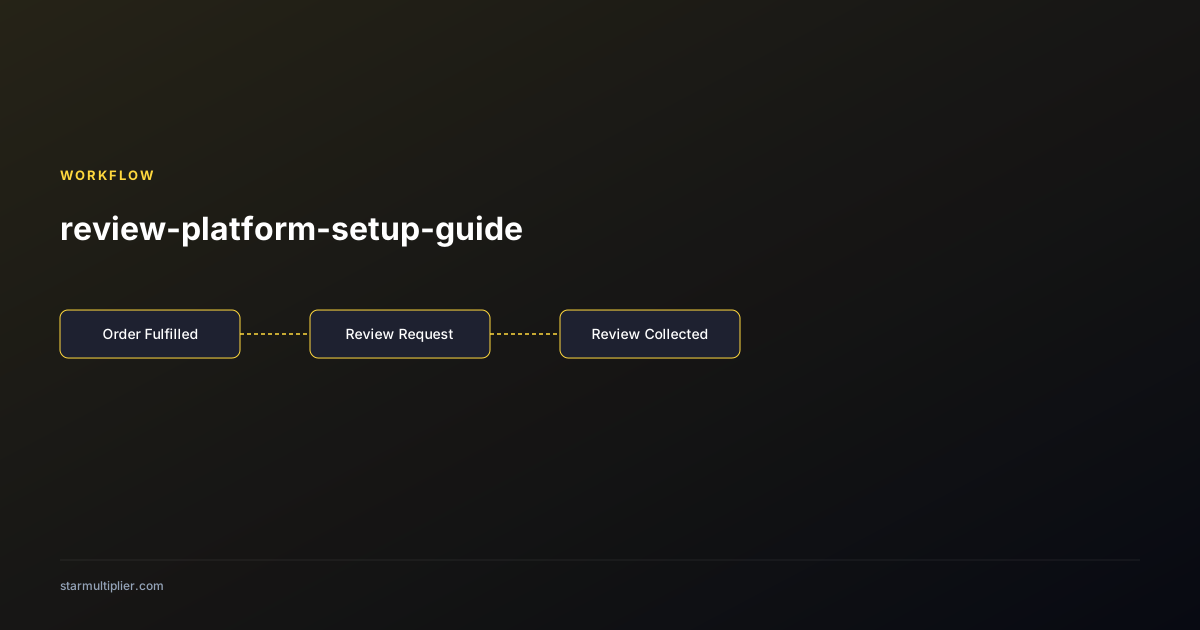
- Complete email authentication (SPF/DKIM) before building any templates
- Verify recent fulfilled orders appear in platform dashboard after integration
- Configure trigger on fulfillment status, not order creation or payment
- Set timing delay minimum 7 days after fulfillment for standard products
- Build separate templates for each customer segment
- Test every link in every template from a non-logged-in browser
- Run end-to-end test orders through the complete sequence before enabling for production