StarMultiplier Review Collection: How It Works and What to Expect
StarMultiplier automates compliant review collection for Shopify and WooCommerce stores. This guide covers how StarMultiplier works, what it collects, and how to get the most from it.
Quick answer
StarMultiplier connects to your Shopify or WooCommerce store, automatically sends review requests to customers after order fulfillment, and collects authentic reviews with a compliance-first design that does not include review gating or satisfaction pre-screening.
How StarMultiplier connects to your ecommerce store
StarMultiplier integrates with your Shopify or WooCommerce store through a native platform connection that reads order data in real time. For Shopify, the integration uses Shopify's official app permissions to receive order fulfillment events as they happen — no batch synchronization delays, no manual order importing. When an order is marked as fulfilled in your Shopify admin, StarMultiplier receives the fulfillment notification within minutes and queues the customer for the appropriate review request sequence based on your configured segmentation rules. For WooCommerce, the integration connects via webhook to your WordPress installation and receives the same order status change events. The integration requires only the permissions needed for review collection functionality: read access to customer email, product information, order status, and fulfillment data. StarMultiplier does not require write access to your store data and does not modify any existing order records or customer data.
The StarMultiplier review request workflow
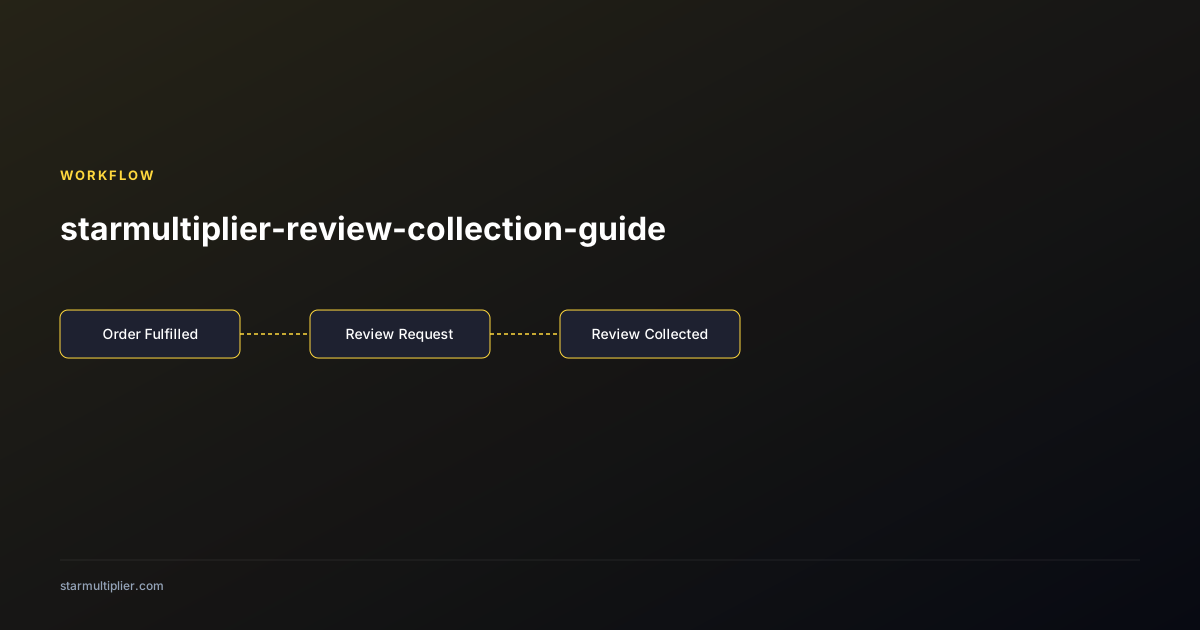
StarMultiplier's review request workflow is built on a compliance-first design: all customers in a defined segment receive the same review request and the same review destination link, without any pre-screening or satisfaction-based routing. The workflow begins when an order is fulfilled and queued by the integration. After the timing delay you configured (typically 7 to 10 days), StarMultiplier sends the review request email to the customer using the template assigned to their customer segment. The email includes the customer's name, the product purchased, and a direct link to your configured review destination. If the customer does not click the review link within your configured follow-up window, StarMultiplier sends a single follow-up reminder at the interval you set. The workflow then closes for that order: StarMultiplier does not send additional outreach beyond the initial request and one follow-up reminder. This two-touch design is intentional — it maximizes review collection from willing reviewers while minimizing contact frequency for customers who have chosen not to respond.
Configuring your review destinations in StarMultiplier
StarMultiplier supports multiple review destination configurations, allowing you to direct customers to your Shopify product review form, your Google Business Profile, third-party platforms like Trustpilot, or any combination of these destinations. For Shopify product reviews, StarMultiplier generates the review destination link automatically from the product ID in the order data — customers who click the link are taken directly to the review form for the specific product they purchased. For Google Business Profile, you configure your Google review link in StarMultiplier's settings, and StarMultiplier uses this link for all customers directed to Google. For third-party platforms, you provide the invitation or review link from the platform's settings and StarMultiplier uses it as a destination option. When configuring multiple destinations, you define which customer segments are directed to which destinations. Geographic routing — domestic customers to Google, international customers to Trustpilot — is a common multi-destination configuration that StarMultiplier supports through segment-based destination assignment.
StarMultiplier's compliance approach and what it means for your store
StarMultiplier is designed from the ground up to support compliant review collection practices. This means certain features that are common in some review collection tools are deliberately absent from StarMultiplier. StarMultiplier does not include satisfaction pre-screening — no step in the workflow asks customers how satisfied they are before directing them to a review platform. StarMultiplier does not support routing customers to different destinations based on satisfaction signals — all customers in a segment receive the same destination link. StarMultiplier does not include fake review generation features of any kind. These design choices reflect a philosophy that authentic review collection, done systematically and at scale, produces better long-term results than manipulation-based tactics, and that the compliance risk of non-compliant practices outweighs any short-term review volume benefit. StarMultiplier documents its compliance approach for customers who need to demonstrate to Shopify, Google, or regulatory bodies that their review collection process meets applicable policy requirements.
What results to expect from StarMultiplier in the first 90 days
Setting realistic expectations for StarMultiplier results in the first 90 days prevents misinterpretation of normal ramp-up patterns as performance problems. In the first two weeks, you will see review requests entering your queue and sending but may not yet see completed reviews, because the review request timing delay means some orders from the launch period are still in the collection window. Reviews typically begin appearing 2 to 4 weeks after launch as the first cohort of customers completes the review request sequence. By day 60, you should have sufficient data to calculate your initial response rate — typically 3 to 8 percent for stores new to systematic review collection — and to see meaningful review accumulation on your most popular products. By day 90, the workflow should be operating at full steady-state, producing a consistent weekly review volume proportional to your order volume and your response rate. Use the 90-day baseline to set your quarterly performance targets and to identify the first optimization opportunities — timing adjustments, template improvements, or segmentation additions — that the initial data suggests would improve performance.
Want to see where your review workflow is leaking opportunities? Start with a StarMultiplier review audit.
Getting the most from StarMultiplier's analytics
StarMultiplier's analytics dashboard provides the operational visibility needed to monitor workflow health, identify optimization opportunities, and demonstrate the business value of your review collection program. The weekly dashboard view shows send volume, open rate, click-through rate, and response rate for the current week compared against your historical baseline — any significant deviation from baseline triggers an investigation workflow within the dashboard that guides you through the most common causes of each metric deviation. The product-level view shows review accumulation by product over your selected time period, with products sorted by total reviews, recent review velocity, and response rate, making it easy to identify your highest-opportunity products and lowest-performing collection segments. The compliance status view shows the last audit date for each relevant platform policy, the suppression rule configurations, and any compliance flags generated by the system — for example, a flag if a team member modifies a template in a way that may create a compliance concern based on StarMultiplier's compliance rule detection.
Maximizing StarMultiplier performance through workflow optimization
Getting maximum performance from StarMultiplier requires actively optimizing the workflow configuration rather than accepting the initial launch configuration as permanent. The three highest-leverage optimization activities in StarMultiplier are: timing optimization, which involves testing whether your specific customer base responds better to slightly shorter or longer post-fulfillment delays; template optimization, which involves A/B testing subject lines and call-to-action language within StarMultiplier's template editor; and segmentation optimization, which involves refining the segment rules as you accumulate data about which customer attributes most strongly predict review response behavior. StarMultiplier's analytics dashboard provides the performance data needed to identify which optimization to prioritize: low open rates indicate timing or subject line optimization, low click-through rates indicate template content optimization, and low completion rates at the review platform indicate a review destination friction issue rather than an email workflow issue. Approach optimization as an ongoing practice rather than a one-time post-launch activity — quarterly optimization cycles produce compounding improvement that significantly outperforms initial-configuration performance over 12 to 24 months.
Using StarMultiplier with multi-location or multi-brand ecommerce operations
Multi-location and multi-brand ecommerce operations present specific configuration requirements for StarMultiplier that differ from single-store single-brand setups. For multi-location operations where the same brand fulfills orders from multiple warehouses or locations, StarMultiplier can handle varied fulfillment timing transparently as long as the review request trigger is consistently configured on the fulfillment event that represents completion of the customer's order rather than individual warehouse-level events. For multi-brand operations where a single operator manages multiple distinct Shopify stores under different brand identities, StarMultiplier's multi-account features allow separate workflow configurations, templates, and analytics for each brand while maintaining consolidated billing and administrative access under a single operator account. This separation ensures that each brand's review collection operates independently with brand-appropriate templates and compliance documentation, while the operator maintains unified oversight of performance across all brands through StarMultiplier's multi-account reporting.
Integrating StarMultiplier with your broader customer lifecycle strategy
StarMultiplier's review collection workflow produces its highest value when it is integrated with your broader customer lifecycle strategy rather than operating as a standalone post-purchase function. The customer lifecycle stages — acquisition, activation, retention, and reactivation — each interact with review collection in specific ways. Acquisition is improved by the social proof that review collection accumulates. Activation (transforming new customers into engaged ones) is supported by post-purchase communication sequences that include review collection alongside product guidance and support offers. Retention is improved when review collection surfaces product feedback that drives improvements that increase customer satisfaction. Reactivation of lapsed customers benefits from the authentic review credibility that your social proof profile provides when a lapsed customer returns to consider purchasing again. Positioning StarMultiplier in this lifecycle context — as a function that touches acquisition through social proof, activation through post-purchase engagement, retention through feedback-driven improvement, and reactivation through credibility — creates the organizational understanding that motivates investment in review operations as a lifecycle strategy rather than a single-function marketing tactic.
Checklist
- Complete Shopify or WooCommerce store connection during StarMultiplier onboarding
- Configure review destination links before enabling the workflow for any customers
- Write templates for at minimum 2 customer segments: first-time buyers and repeat customers
- Set timing delay to minimum 7 days after fulfillment
- Enable follow-up reminder at 5-7 days after initial request
- Run end-to-end test with a real order before enabling for production
- Check analytics dashboard weekly for the first 30 days after launch