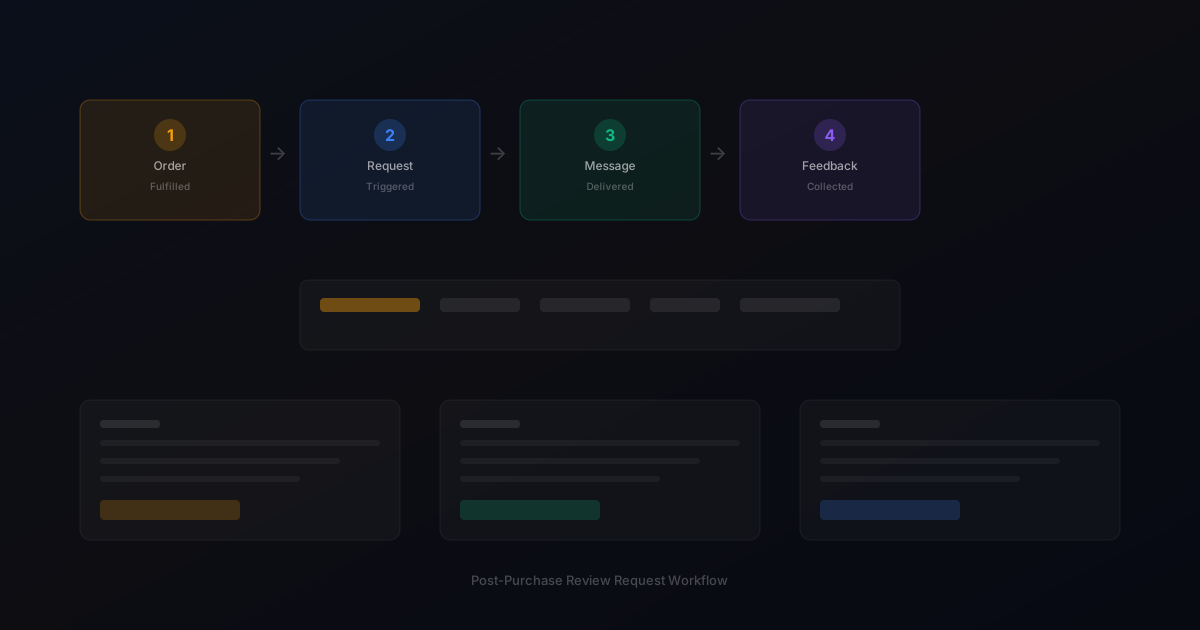
Customer Feedback Workflow for Ecommerce Teams
customer feedback workflow — a practical guide for ecommerce stores. Learn how to build a more effective review collection process with better timing, messaging, and workflow.
Quick answer
A customer feedback workflow defines how your team collects, reviews, and responds to customer feedback after purchase. A clear workflow ensures no review goes unnoticed and that insights from customer feedback reach the teams that can act on them.
What is customer feedback workflow?
A customer feedback workflow defines how your team collects, reviews, and responds to customer feedback after purchase. A clear workflow ensures every review is acknowledged, insights are captured, and feedback drives real improvements rather than sitting in an inbox.
Why customer feedback workflow matters for ecommerce stores
customer feedback workflow matters because without a defined process, feedback management becomes reactive and inconsistent. Some reviews get responses quickly, others are missed entirely, and valuable insights are lost because there is no system for capturing and sharing them.
How to approach customer feedback workflow
The best customer feedback workflow covers five stages: collect (automated request workflow), organize (central inbox with tagging), respond (timely replies to all feedback), analyze (weekly trend review), and act (share insights with relevant teams). Each stage has clear ownership and timing.
Assess your current review collection process
Start by reviewing how you currently collect reviews. Are you using automated requests, manual emails, or no structured process at all? Understanding your starting point helps you choose the right improvements.
Define your review collection goals
Set realistic targets based on your order volume. A store processing 100 orders per week might target 10-15 new reviews per week with an optimized request workflow.
Implement and iterate
Choose the right approach for your store size and implement it. Monitor response rates and adjust timing, messaging, and targeting based on performance data.
Step-by-step customer feedback workflow framework
1. Collect: Set up automated review requests triggered by order fulfillment. 2. Organize: Route all responses to a central feedback inbox with automatic tagging. 3. Respond: Assign team members to reply to all reviews within 24 hours. 4. Analyze: Review feedback trends weekly and document key insights. 5. Act: Share relevant insights with product, support, and marketing teams monthly. 6. Review: Evaluate workflow effectiveness quarterly and make adjustments.
Practical examples
An ecommerce brand implemented a 5-stage feedback workflow and saw their review response rate improve from 40 percent to 85 percent within two months. The structured process made it clear who was responsible for each step and eliminated the confusion that had caused slow response times.
Example for growing stores
A mid-size store processing 300 weekly orders implemented automated review requests and saw review volume increase from 15 to 40 reviews per month within eight weeks.
Example for small stores
A boutique store with 50 weekly orders used targeted template messages for first-time buyers and repeat customers separately, improving response rates by 25 percent.
Common mistakes to avoid
The most common mistake is skipping the analysis and act stages. Collecting feedback and responding to reviews is important, but the real value comes from using feedback insights to improve products and processes. Another mistake is not having clear ownership for each stage.
Inconsistent timing
Sending requests at random intervals confuses customers and reduces response rates. Consistent timing based on delivery windows produces better results.
Generic messaging
Using the same message for every customer misses the opportunity to tailor requests by customer segment and purchase history.
customer feedback workflow checklist
Define clear ownership for each stage of the feedback workflow. Set response time targets for reviews. Review feedback trends weekly. Share insights across teams monthly. Evaluate workflow effectiveness quarterly. Adjust as your team and order volume grow.
Want to see where your review workflow is leaking opportunities? Start with a StarMultiplier review audit.
How StarMultiplier helps with customer feedback workflow
StarMultiplier helps teams implement a customer feedback workflow by automating the collect stage, organizing responses in a central inbox, and providing analytics for the analyze stage. The platform handles the operational complexity so your team can focus on responding to and acting on customer feedback.
Designing a customer feedback workflow that connects to product improvement
A customer feedback workflow has limited value if the insights it produces never influence product or service decisions. The most effective feedback workflows build explicit connections between feedback collection, feedback analysis, and the decision-making processes where that analysis can make a difference. Start by identifying which teams in your organization benefit from customer feedback data and what decisions they regularly make that could be improved with better customer input. Product teams benefit from understanding which features customers value most, which aspects of the product experience generate complaints, and how customers compare your product to alternatives. Marketing teams benefit from understanding what language customers use to describe their experience, which benefits they emphasize when recommending your product to others, and what objections they had before purchasing that were overcome by their actual experience. Customer service teams benefit from understanding the most common issue types so they can prepare better resolution scripts and escalation paths. Operations teams benefit from understanding packaging, shipping, and delivery experiences that affect customer satisfaction. Design your feedback workflow to route different types of feedback to the teams that can most directly act on it.
How to structure a customer feedback workflow for a small ecommerce team
Small ecommerce teams often struggle to implement sophisticated feedback workflows because they lack the dedicated resources that larger brands use to manage customer insight programs. A practical customer feedback workflow for a small team starts with consolidating all feedback into one place. Whether that means a shared Slack channel, a simple spreadsheet, or a dedicated feedback management tool, having one location prevents feedback from being scattered across multiple inboxes, support ticket systems, and review platform dashboards. Schedule one hour per week for a team member to review and tag new feedback. This does not need to be elaborate: a simple system with three to five tags for the most common feedback types is sufficient. Once per month, review the tagged feedback with the full team and identify the two or three insights that are most actionable given current priorities. Act on at least one insight per month, even if the action is small. Implementing one packaging improvement suggested by customer feedback shows the team that the workflow is producing results and maintains motivation to continue collecting and reviewing feedback consistently. Over time, this lightweight process builds a valuable body of customer insight that informs better product and service decisions than gut feeling or anecdote alone.
Measuring the impact of your customer feedback workflow
Measuring the impact of a customer feedback workflow requires tracking changes in the metrics that your feedback insights should influence. If your feedback workflow surfaces recurring shipping damage complaints and you use that insight to improve your packaging, track whether return rates, negative review mentions of packaging, and customer satisfaction scores improve in the months following the change. If feedback analysis reveals that customers who receive a product within 3 days give higher ratings than those who wait 7 days, use that insight to prioritize faster fulfillment and measure whether average ratings improve. If positive review content consistently mentions a specific product feature, test whether emphasizing that feature more prominently in product descriptions improves conversion rates. These upstream metrics are harder to connect directly to feedback workflow investments than simple counts of feedback items received, but they demonstrate the business value of systematic feedback collection in a way that stakeholders can understand and support. Document the specific insights that influenced specific decisions and track the outcomes of those decisions. Over time, this documentation builds the case for continuing to invest in feedback workflow infrastructure and for expanding the feedback program as your team and order volume grow.
How StarMultiplier helps build a connected customer feedback workflow
StarMultiplier integrates review request workflows with feedback collection to give ecommerce teams a more complete picture of customer experience. When customers receive a review request through StarMultiplier and share their feedback, that response is captured in the platform's feedback inbox rather than being lost in an email thread or scattered across multiple channels. This centralization makes it easier for your team to review feedback systematically, identify patterns across responses, and connect feedback insights to product and service decisions. StarMultiplier's approach to feedback collection is built around honest, transparent communication with customers: the platform asks for genuine input without implying that only positive feedback is welcome or that negative feedback will be suppressed. Customers who report concerns through the feedback process are given a natural pathway to reach your support team directly, improving the chance of resolution before the customer decides to share their experience publicly. For ecommerce teams that want to build a feedback workflow that produces actionable insights rather than just counting star ratings, StarMultiplier provides the collection infrastructure, the centralized inbox, and the basic analytics needed to start making feedback-driven improvements.